 PH
PH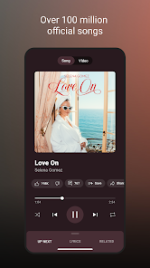
YouTube Music ReVanced (Non-Root)
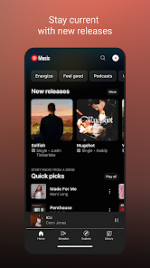
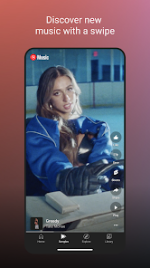
YouTube Music ReVanced is a modified version of the official YouTube Music application. It integrates features typically reserved for Premium users, including ad-free playback and background audio, while incorporating community-driven patches for enhanced customization and functionality.Build Information
| Detail | Specification |
| Base Version | YouTube Music v8.30.54 |
| Patcher | ReVanced anddea mpp v4.0.0 (Morphe) |
| Compiler | derrin |
| Minimum OS | Android 8.0+ |
| Package Name | app.rvx.android.apps.youtube.music |
| Architecture | arm64-v8a, armeabi-v7a |
| Screen DPI | 120dpi, 160dpi, 240dpi, 320dpi, 480dpi, 640dpi |
| Language Support | Full Multi-Language |
Core Features
- Ad-Free Experience: Removes all video and audio advertisements.
- Background Play: Enables playback while the screen is locked or while using other applications.
- Search Functionality: Support for lyric-based searches and descriptive queries.
- Audio Quality: Includes "Bitrate default value" and "Disable QUIC protocol" patches.
- Extended Settings: Integration of Return YouTube Dislike (RYD), SponsorBlock, and RVX-specific optimizations.
Changelog & ρá†ch Details
anddea mpp v4.0.0 Updates:- Migration: Patches migrated to Morphe patcher.
- Bug Fixes: Resolved ARSCLib compatibility (#1404), fixed Wi-Fi connection spoofing, and corrected resource attribution crashes.
- Features: Added credits for YouTube, YT Music, and Reddit; updated video stream spoofing to match Morphe.
- Interface: Custom branding icons/names, dark theme, landscape mode, hide account/action bar/layout components, navigation bar and player component customization.
- Functionality: GmsCore support, certificate spoofing, change start page, sanitize sharing links, bypass image region restrictions, and watch history restoration.
- Utility: SponsorBlock integration, Return YouTube Dislike, Return YouTube Username, and spoof app version for lyrics.
Note: "Replace Samples button" is unsupported in this version (Requires YT Music 6.29.59 - 8.28.54).
Configuration & Installation
Installation Sequence:- Install MicroG Services (GMSCore).
- Install the YouTube Music ReVanced APK.
- Launch the app and log in to a Google account.
| Issue/Feature | Action |
| Playback Issues | Enable Settings > RVX > Miscellaneous > Spoof video streams. |
| Missing Player Buttons | Clear app cache and data, then restart the application. |
| Lyrics Spoofing | Enable Settings > RVX > General > Spoof app version for lyrics. |
| External Downloads | 1. Install a downloader (NewPipe, Seal, YTDLnis). 2. Enable Settings > RVX > Action Bar > Override Download action button.3. Set External downloader package name (YTDLnis is default). |
Download