 PH
PH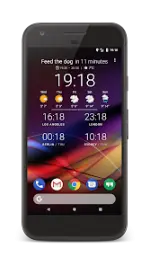
Chronus Information Widgets v26.1.1 [Pro]
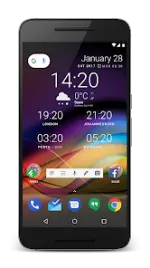
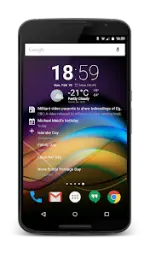
Chronus is a unified set of flexible widgets for Home and Lock screens, providing Clock, Weather, News, Tasks, Stocks, Fitness, and Calendar functionality. The application utilizes a single optimized back-end service to reduce CPU, data, and battery consumption compared to multiple standalone widgets.Application Specifications
| Category | Details |
| Version | v26.1.1 [Pro] |
| Android OS | 10 and up (Lock screen widgets require Android 4.x or 3rd party apps on 5.0+) |
| Wear OS | Supported (Includes basic and Pro watchfaces) |
| ROM Support | Weather provider for CyanogenMod, LineageOS, and derived ROMs |
Feature Set Comparison
| Feature Category | Standard Version | Pro Version (Unlocked) |
| Widgets | Flex, Flex (Analog), Clock+, Clock+ (Dash), Dash, Pixel+, Pixel2+, News, Tasks, Weather | Forecast, Calendar, Clock+ (Forecast), Stocks |
| Weather Providers | Weatherbit.io, WeatherAPI.com, Visual Crossing, Tomorrow.io, WeatherStack, OpenWeatherMap, PWS, Accuweather, MET Norway | Additional Experimental Providers |
| News & Tasks | Internal RSS, Pocket, Google Tasks | Feedly, Twitter, Reddit, Microsoft Exchange, Evernote, Todoist |
| Extensions | Two (2) DashClock Extensions; Gmail, Missed Calls, Calendar, SMS | Unlimited DashClock Extensions |
| Customization | Basic look/feel, custom colors, font bolding, Backup/Restore | Advanced alignment, style, color/layout options, Daydream screensaver |
| Functionality | Weather/Calendar/Tasks notifications, scrollable event lists | Custom Tap actions (apps/activities), Stock Alerts |
Technical Updates and Bug Fixes
Version 26.1.1 Changes:- UI/Core: Added edge-to-edge display support.
- Billing: Updated compatibility with the latest Play Billing library.
- Stability: * Resolved crash when opening appearance settings on Android 10-11 with dynamic background colors.
- Resolved screensaver crash during dismissal on specific hardware.
- Fixed Stock Alerts limitation where only 1-2 notifications were displayed.
Additional Technical Notes
- Resource Management: Features not explicitly enabled are completely disabled and consume no system resources.
- Permissions: Technical details regarding required permissions are documented within the application manifest.
- Optimization: Shared back-end architecture for all widget types to ensure minimal system impact.