 PH
PH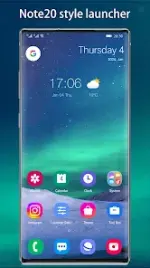
Cool Note20 Launcher | Technical Overview
Cool Note20 Launcher is a highly configurable launcher styled after the Galaxy Note20 interface. It is designed to provide a modern UI experience for older devices and expanded functionality beyond the standard One UI for existing Galaxy users.Specifications
| Category | Details |
| Android Version | 5.0 and up (Core support for 4.0+) |
| Current Version | v10.5.2 |
| Architectures | arm64-v8a, armeabi-v7a |
| Languages | en-AU, en-CA, en-GB, en-IN, en-XC |
| Developer | Cool Launcher App Team |
| Legal Notice | Inspired by Galaxy Note20; not an official Samsung™ product |
Key Features
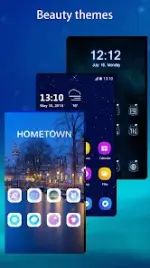
Interface & Customization- Themes & Icons: Online theme store and support for nearly all third-party icon packs.
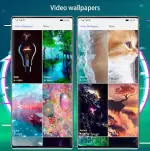
- Wallpaper Support: Supports Video Wallpapers and Live Wallpapers.
- Visual Enhancements: Round corner screen simulation, desktop transition effects, and font customization.
- UI Modes: Light, Dark, and Automatic color modes.
- Drawer Styles: Horizontal, vertical, category, or list layouts.
- Grid Control: Adjustable icon size and desktop grid dimensions.
- Dock: Support for multiple dock pages and customizable dock backgrounds.
- Folders: Configurable folder styles and colors.
- Gestures: Swipe, pinch, and two-finger gesture support.
- System Monitors: Built-in trackers for battery, storage, and memory status.
- Search: T9 search integration on the launcher desktop.
- Notifications: Unread count notifiers on desktop icons.
- App Management: Hide apps or lock hidden applications.
- App Lock: Built-in privacy protection for individual applications.
- Permissions: Requires access to photos and media for theme/wallpaper management.
Release Notes (v10.5.2)
- Resolved an issue on the subscription page where the half-year subscription key was incorrectly utilized instead of the yearly key.
Modification Details
- Premium features unlocked.
- Debug information removed.