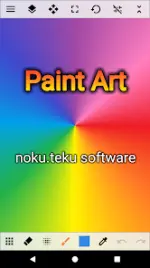
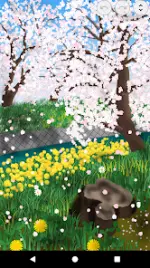
A multi-functional painting application designed for users ranging from beginners to experienced illustrators. The interface focuses on intuitive operation and is optimized for both general illustration and natural landscape rendering.
Technical Specifications
Category
Details
Minimum OS
Android 6.0+
Architectures
Armeabi-v7a, Arm64-v8a, X86, X86_64
DPI Support
Ldpi, Mdpi, Tvdpi, Hdpi, Xhdpi, Xxhdpi, Xxxhdpi
Input Support
Pen pressure detection (toggleable in settings)
File Formats
Export support for PNG, JPEG
Core Feature Set
Drawing & Transformation Tools
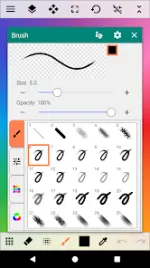
Brush Engine: Includes pen, pencil, airbrush, wavy/dotted lines, shapes, gradients, and specialized textures (nature, flowers, rainbow, light).
Fill System: Supports solid colors, gradients, borders, net, designs, patterns, and natural textures.
Image Adjustment: Hue, saturation, brightness controls, inversion, and blur filters.
Color Tools: Integrated color palette, color picker, and eyedropper tool.
Workflow Auxiliaries
Precision Aids: Ruler, grid line display, and image stabilization.
Input Controls: Cursor drawing and XY interval (drawing interval settings).
Data Handling: Configurable save directories and inter-app image sharing.
Localization Support
Languages: af, am, ar, as, az, be, bg, bn, bs, ca, cs, da, de, el, en (AU, CA, GB, IN, XC), es (419, US), et, eu, fa, fi, fr (CA), gl, gu, hi, hr, hu, hy, in, is, it, iw, ja, ka, kk, km, kn, ko, ky, lo, lt, lv, mk, ml, mn, mr, ms, my, nb, ne, nl, or, pa, pl, pt (BR, PT), ro, ru, si, sk, sl, sq, sr (Latn), sv, sw, ta, te, th, tl, tr, uk, ur, uz, vi, zh (CN, HK, TW), zu.
Changelog
Added "Interpolation during View Zoom" to application settings.
 PH
PH