 PH
PH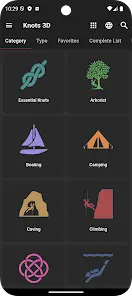

Knots 3D | Version 7.0+
Knots 3D is a technical reference tool designed for arborists, climbers, military personnel, and emergency responders. It provides 3D, interactive demonstrations for tying and analyzing complex knots.Technical Specifications
| Category | Details |
| Total Knots | 201 unique entries (regularly updated) |
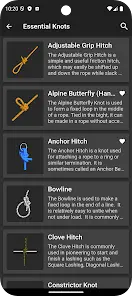
| Search Methods | Name, common synonym, ABOK #, and Semantic Search (Beta v2) |
| Supported Languages | 25 (ar, cs, da, de, el, es, fi, fr, it, iw, ja, ko, nl, pl, pt, ru, sv, tr, zh-CN, zh-TW, etc.) |
| CPU Architecture | Armeabi-v7a, Arm64-v8a, X86_64 |
| Screen DPI | Ldpi, Mdpi, Tvdpi, Hdpi, Xhdpi, Xxhdpi, Xxxhdpi |
| Monetization | No advertisements, no in-app purchases, no subscriptions |
Core Functions
- 3D Manipulation: 360-degree rotation to view knot structure from any angle.
- Animation Control: Adjustable playback speed with "scrubbing" functionality to manually advance or rewind the tying process.
- Display Options: Support for landscape/portrait modes, full-screen zoom, and Dark/Light mode themes.
- Semantic Search (Beta v2): Natural language processing allows users to describe a task (e.g., "secure a load on a trailer") to receive relevant knot suggestions like the "Trucker's Hitch."
Library Organization
| Categories | Knot Types |
| Essential, Arborist, Boating, Camping, Caving | Bends, Binding Knots |
| Climbing, Decorative, Diving, Fishing, Military | Friction Hitches, Hitches |
| Pioneering, Rope Care, Scouting, SAR | Lashings, Loop Knots |
| Theatre and Film | Quick Release, Stopper Knots |
Version Updates & Mod Features
- Semantic Search Beta v2: Improved task-based relevance across all supported languages.
- Enhanced Discovery: Improved keyword search accuracy.
- Integrity: Untouch ρáíd APK with original hash signature.
- Certificate MD5:
afd0cd1d2204a7c3c73f659dae448c17.
Installation Procedures (Split APKs)
Method 1: Split APK Installer (SAI)- Install the latest SAI application.
- Select "Install APKs" within the interface.
- Locate and select the
.apksarchive. - Grant required storage and "Unknown Apps" permissions to complete the process.
- Install the latest Lucky Patcher application.
- Navigate to "Rebuild & Install."
- Locate the downloaded
.apksfile. - Execute the installation and ensure all necessary system permissions are granted.