 PH
PH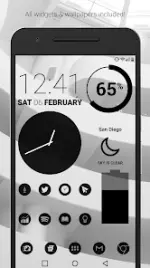
Dark Void Pro - Black Icons v3.8.0 [Patched]
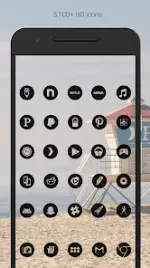
Dark Void is a minimalist, black-themed icon pack designed for Android 6.0 and up. It features transparent-center icons that blend with high-contrast backgrounds, including space, sci-fi, and urban themes.Application Specifications
| Category | Details |
| Version | v3.8.0 [Patched] |
| Android Requirement | 6.0 and up |
| Icon Resolution | 192x192 (XXXHDPI) |
| Total Icons | 3,700+ |
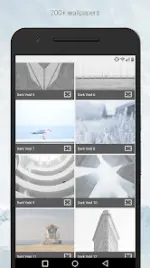
| Wallpapers | 200+ (Cloud-based) |
| Widget Types | Battery, Digital Clock, Analog Clock, Weather |
Features
- Icon Design: Hand-crafted, flat, clean, and simple dark black icons with transparent centers.
- Wallpaper Library: Over 200 curated cloud-hosted wallpapers optimized for black icons; includes Muzei support.
- Customization: Includes system widgets and editable KWGT widgets for clock, battery, and weather with font and color scaling.
- Variants: Multiple icon variations for system defaults (Phone, Contacts, Camera).
- Updates: Regular addition of new icons; Includes an "Icon Request" tab.
Compatibility
A third-party launcher is required to apply the icon pack.| Recommended | Supported Launchers |
| Nova Launcher | Action, ADW, Apex, Atom, Aviate, Evie, Go, Holo, Inspire, KK, Lucid, Microsoft, Next, Nine, Poco, Smart, Solo, Themer, TSF, Yandex |
Installation and Technical Guides
Applying via Icon Pack:- Open the application after installation.
- Navigate to the Apply tab.
- Select your active launcher.
- Long-press an empty area on the home screen to open Launcher Settings.
- Select Personalization or Look and Feel.
- Select Dark Void from the icon pack list.
- Manual Editing: Icons can be manually changed in most launchers by long-pressing the specific icon.
- Widget Synchronization: If widgets stop updating, ensure the app is exempt from battery optimization in system settings.
What's New
- Updated Dashboard interface.
- Added 65 icons to the Pro version.
- Added 33 icons to the Free version.