 PH
PH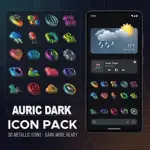
Auric Dark 3D Icon Pack v3.0.5
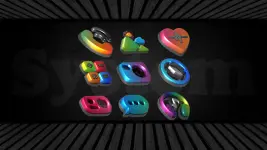
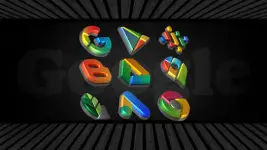
Auric Dark is a premium 3D-style icon pack featuring vibrant gradients and high-detail modeling. The design focuses on a modern aesthetic with depth effects, intended for high-end home screen customization.Technical Specifications
| Category | Details |
| Version | v3.0.5 [Patched] |
| Android Requirement | 5.0 and up |
| Total Icon Count | 6563+ |
| Wallpaper Count | 14 (Cloud-based, handcrafted) |
| Design Style | 3D, Vibrant Gradients |
| Dashboard | Slick Material |
Core Features
- Icon Masking: Automatic masking for un-themed application icons to ensure visual consistency.
- Dynamic Calendar: Support for real-time date display on calendar icons.
- Alternatives: Multiple alternate icons for app drawers, folders, and popular system applications.
- Icon Requests: Support for premium icon requests via the dashboard.
- Optimization: Recommended icon size for optimal visual fidelity is 110% to 120%.
Launcher Compatibility
| Application Section Support | Supported via Settings Only |
| Action, ADW, Apex, Atom, Aviate, CM Theme Engine, GO, Holo, Holo HD, LG Home, Lucid, M Launcher, Mini, Next, Nougat, Nova (Recommended), Smart, Solo, V Launcher, Zero, ABC, Evie, L Launcher, Lawnchair | Arrow, ASAP, Cobo, Line, Mesh, Peek, Z Launcher, Launch by Quixey, iTop, KK, MN, New, S Launcher, Open, Flick, Poco, Niagara |
Note: Google Now Launcher and certain stock launchers do not support 3rd-party icon packs. Verify launcher compatibility before installation.
Installation Instructions
- Install a supported third-party theme launcher.
- Open the Auric Dark dashboard or launcher settings.
- Select and apply the icon pack.
What's New in v3.0.5
- New Icons: Added 76 new app icons.
- Enhancements: Redesigned select icons for improved visual clarity.
- Updates: Updated existing app icons for automatic home screen theming.
- Database: Total icon count expanded to 6563.