 PH
PH

Overview
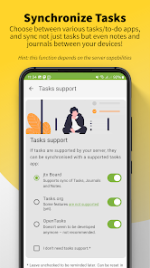
DAVdroid is an all-in-one synchronization solution for contacts (CardDAV), calendars (CalDAV), and tasks (VTODO). It provides native Android 4+ implementation with support for resource auto-detection and self-signed certificates.Technical Specifications
| Feature | Details |
| Supported Protocols | CardDAV, CalDAV, VTODO |
| Compatibility | Android 4+ |
| Synchronization | Two-way (server ↔ client) |
| Performance | High-speed algorithms (CTag/ETag, sync time range limiting) |
| Architecture | Open source; optimized for phones and tablets |
Compatibility and Usage Notes
- Account Retention: On Android 4.1, all Samsung devices, and certain Android 4.4.2 devices, users must install the "DAVdroid JB Workaround" app to prevent account loss after reboots or updates.
- Installation: Do not move the application to an SD card to avoid account and data corruption.
- Server Compatibility: Designed for use with personal DAV servers (e.g., Radicale, DAViCal, SabreDAV, Baikal) or hosted DAV services.
- Security: Supports TLS encryption for secure synchronization over open networks.
Tested Services
- Services: AOL, Apple Calendar/Contacts Server, Apple iCloud, Baïkal, Bitrix24, contactzilla, CozyCloud, DAViCal, eGroupware, fastmail, fruux, GMX, Group-Office, Horde, IceWarp, iCloud, Kerio Connect, KolabNow, Mac OS X Server, mailbox.org, mail.de, Nextcloud, openCRX, Oracle Communications UCS, OwnCloud, OwnCube, posteo.de, Radicale, SOGo, Synology DSM, Tine 2.0, web.de, Yahoo (calendars), Yandex, Zimbra Server.
Version 4.5.10 Changelog
- Fixed a bug preventing synchronization of contact photos.
- General bug fixes and code refactoring.
Installation Instructions (SAI)
- Install the latest SAI (Split APK Installer) application.
- Download the required
.apksarchive. - Open SAI, select "Install APKs," and locate the downloaded
.apksfile to execute the installation.