 PH
PH

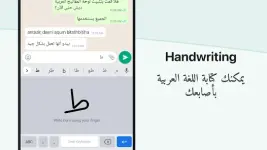
Application Overview
Arabic Keyboard is an input tool for Android that utilizes phonetic transliteration to convert English character input into Arabic text. It functions as a system-wide keyboard, allowing for native Arabic input across all installed applications.Technical Specifications
| Category | Details |
| Minimum Android Version | 5.0 and up |
| Supported CPUs | armeabi-v7a, arm64-v8a |
| Version | 17.1.0 |
| Input Method | Phonetic transliteration |
| Customization | 21+ color themes |
Key Features
- System Integration: Works within all applications, removing the need for copy-pasting text.
- Language Switching: Toggle between English and Arabic input via the designated language button.
- Emoji Support: Integrated emoji access accessible via the '123' number button.
- App Discovery: Includes an integrated search feature to locate and open installed applications.
- Word Prediction: Provides Arabic word suggestions based on English character input.
Mod Details
- Status: Premium features unlocked.
- Optimization: Debug codes removed and unnecessary files cleaned.
- Modder: TRUMods
Recent Changes
- Added functionality to save status updates by swiping up.
- Added functionality to save stickers to favorites.
Usage Instructions
- Launch the application after installation.
- Enable and set the application as the default system keyboard.
- Configure themes and settings through the settings menu.
- Begin typing in any application to utilize transliteration.