 PH
PH
Technical Specifications
| Requirement | Detail |
| Minimum OS | Android 6.0 and up |
| Export Quality | Up to 4K (Ultra HD), 1080p, 720p, 480p, GIF |
Core Editing Features
- Video Processing: Trim, splice, merge, compress, reverse, and doodle on video.
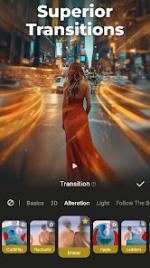
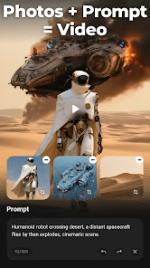
- AI Tools: AI Video Generator (Image-to-Video, Text-to-Video, AI Keyframe, AI Video Blending, AI Auto Editing), AI Subtitles (speech-to-text), AI Voice Changer, AI Mosaic, and AI effects (auto-blur, stroke).
- Audio Controls: Audio extraction (video to MP3), multi-track music support, voice-over recording, voice effects (robot, monster), fade in/out, and voice enhancement.
- Visual Enhancements: 4K export support, video overlay (double exposure), animated filters, emojis, GIFs, stickers, and special lenses.
- Dynamic Adjustments: Fast/slow motion, speed adjustment, zoom, and aspect ratio configuration.
Functionality Overview
- Templates: Ready-made themes for slideshows and vlogs.
- Subtitles: Multiple text styles and fonts available.
- Material Library: Includes themes, filters, stickers, GIFs, memes, emojis, fonts, sound effects, and FX.
- VIP Benefits: Removes watermarks and advertisements.
Recent Update (Version Info)
- Improvements: Performance optimizations and general experience enhancements.
Mod Notes
- AI Limitations: AI-based features are server-side dependent.