 PH
PH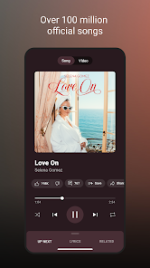
YouTube Music Morphe
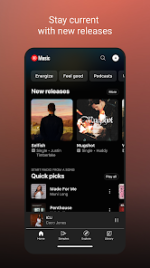
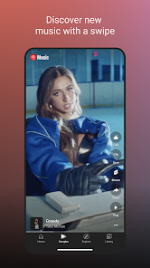
YouTube Music Morphe is a modified version of the YouTube Music application. It integrates Morphe patches to provide premium-tier features such as ad-free playback and background audio.App Specifications
| Feature | Details |
| Base App Version | v9.09.52 |
| Morphe Patches | mpp v1.17.0 |
| Architecture | arm64-v8a, armeabi-v7a |
| Screen DPI | 120dpi, 160dpi, 240dpi, 320dpi, 480dpi, 640dpi |
| Minimum OS | Android 8.0+ |
| Package Name | app.morphe.android.apps.youtube.music |
| Localization | Full Multi-Language support |
Key Features
- Ad-free Playback: Removes video and audio advertisements.
- Background Play: Enables playback while the screen is locked or while using other applications.
- Integrated Modules: Includes Return YouTube Dislike (RYD) and SponsorBlock.
- Discovery Tools: Personalized recommendations based on taste, location, and time of day.
- Advanced Search: Search via lyrics or natural language descriptions.
Morphe mpp v1.17.0 Changelog
Bug Fixes- Custom Branding: Corrected root installation behavior to prevent overriding the base app name.
- Video Spoofing: TV client deobfuscate toast notification is now restricted to debugging mode.
- Video Stream Spoofing: Added "Force player JavaScript hash" and "Player JavaScript hash" options.
- Compatibility: Added experimental support for YouTube Music v9.09.52 and stable support for v8.44.54.
Applied Patches
| Category | Patches Applied |
| Playback & Audio | Disable DRC audio, Disable QUIC protocol, Enable exclusive audio playback, Force original audio, Remove background playback restrictions |
| Interface & UI | Change miniplayer color, Change start page, Custom branding, Hide buttons, Hide category bar, Navigation bar, Theme, Hide 'Get Music Premium' |
| System & Network | Bypass certificate checks, GmsCore support, Check watch history domain name resolution, Change package name, Sanitize sharing links |
| General | Enable debugging, Permanent repeat, Hide music video ads |
Installation & Configuration
Installation Procedure (Non-Root)- Install MicroG Services (GMSCore).
- Install the YouTube Music Morphe APK.
- Launch the application and sign in to a Google account.
- Playback Issues: If playback errors occur, navigate to
Settings > Morphe > Miscellaneousand enable Spoof video streams. You may also manually select a different client via the Default client list. - Customization: App icons and naming conventions (Original vs. Morphe) can be toggled under
Settings > Morphe > General.