 PH
PH
CCleaner for Android: System Optimization & Management
CCleaner for Android is a system utility designed to remove junk files, reclaim storage, and monitor hardware performance. It includes specialized tools for application analysis and photo library management.Technical Specifications
| Category | Details |
| App Name | CCleaner - Phone Cleaner |
| Version | v26.03.0 build 800011385 |
| Permissions | Uses Accessibility permission to terminate background processes |
Core Functionality
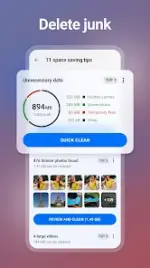
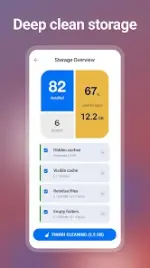
Storage & Junk Cleaning- Removes cache, download folders, browser history, and clipboard content.
- Deletes obsolete residual data and unnecessary files.
- Batch uninstalls multiple applications.
- Identifies similar, old, or poor-quality (unfocused, bright, or dark) images.
- Supports file compression levels: Low, Moderate, High, and Aggressive.
- Option to move original files to cloud storage and delete photos from private chats.
- Monitors data consumption per application.
- Identifies battery-draining and unused applications via App Manager.
- Assesses the overall impact of individual apps on system resources.
- Real-time tracking of CPU usage.
- Analysis of RAM and internal storage allocation.
- Tracking of battery levels and hardware temperature.
Mod Features
| Feature Type | Modifications Applied |
| License | Professional / ρáíd features unlocked |
| Privacy | Analytics, Crashlytics, Firebase, and GDPR consent disabled |
| Ads | Removed permissions, providers, services, and layouts; SDKs (including Facebook) removed |
| Optimization | Debug code removed; unwanted permissions, receivers, and services disabled |
| UI | Promo apps removed from menu; multiple color themes available |