 PH
PH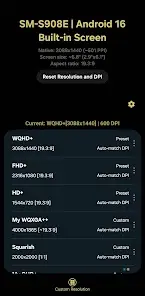
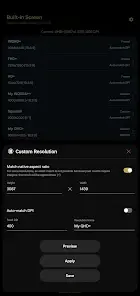
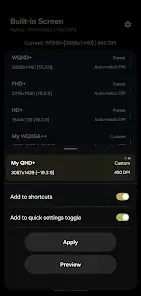
App Overview: Display Resolution & DPI Manager
A utility tool designed to test and apply custom display resolutions and pixel densities (DPI).Technical Specifications
| Category | Details |
| Version Compatibility | Android 7.0+ |
| License Tier | Freemium (Free: 2 presets; Premium: Unlimited presets & shortcuts) |
| Permissions | WRITE_SECURE_SETTINGS |
| Root Status | Optional (Compatible with ADB, Shizuku, or Root) |
| Ads | None |
Core Features
- Resolution Calculation: Optional automatic calculation of height or width based on the device's native aspect ratio.
- DPI Scaling: Optional automatic matching of DPI to a selected resolution using trigonometric adjustments.
- Preset Management: Smart naming suggestions for custom configurations.
- System Integration: Reads stock device resolutions for easy restoration.
- Recovery: One-tap reset functionality to factory resolution and DPI settings.
- Automation (Premium): App shortcuts to apply specific resolutions in the background.
Configuration & Setup
The application requires a one-time grant of theWRITE_SECURE_SETTINGS permission. This can be achieved via:- ADB: Manual command entry from a PC.
- Shizuku: Wireless debugging interface.
- Root: Immediate internal grant.
Version Updates
- Stock Storage: Stock resolutions are now stored using fixed DPI values rather than automatic scaling.
- Localization: Expanded language support.