 PH
PH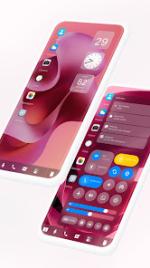
Mak Book OS 26 Launcher | Desktop Interface for Android
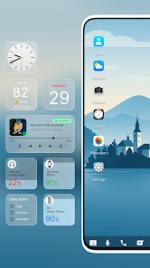
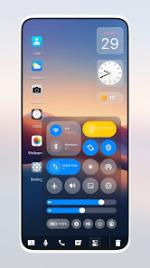
Mak Book OS 26 Launcher is a sophisticated desktop-style interface designed for Android devices running version 12L and higher. This launcher reconstructs the mobile environment to emulate a laptop operating system, prioritizing productivity through a centralized taskbar and a desktop-centric layout.Core Functionality
| Feature Category | Description |
| File Management | Comprehensive explorer modeled after M Book OS 14 with native directory structures. |
| Navigation | Traditional Start Menu and taskbar system with stylish application tiles. |
| Efficiency | Integrated Recycle Bin, ZIP/RAR support, and dedicated Action Center. |
| Customization | Support for external icon packs, live wallpapers, and dynamic desktop widgets. |
| Compatibility | Optimized for smartphones, tablets, and Android TV interfaces. |
Detailed Capabilities
File Management System
The application integrates a professional directory structure that supports advanced file operations:- Storage Access: Direct management of internal storage, SD cards, and external drives.
- File Manipulation: Standard operations including cut, copy, paste, and move functions.
- Data Recovery: Integrated Recycle Bin for staged file deletion and restoration.
- Compression: Native extraction support for ZIP and RAR formats.
- Media Sorting: Automatic categorization for audio, video, and imagery.
Interface and Navigation
Navigation is facilitated through a streamlined desktop workflow:- Start Menu: Centralized hub for application access and system settings.
- Desktop Shortcuts: Frequently used programs can be pinned to the desktop via long-press gestures.
- Action Center: Consolidates system notifications and quick settings for seamless multitasking.
- Taskbar: Multi-color support with adjustable transparency levels.
System Customization
Extensive aesthetic and functional adjustments to suit professional requirements:- Dynamic Widgets: Real-time RAM monitoring, weather updates, and calendar data.
- Enhanced UI: Improved drag-and-drop mechanics and customizable photo tiles.
- Privacy Options: Optional multitasking toggles and application hiding features.
Technical Specifications
What's New- Integrated a new Themes section for enhanced personalization.
- Premium: All features unlocked.
- Architecture: arm64-v8a, armeabi-v7a.
- Languages: Multi-language support including EN (AU, CA, GB, IN, XC), BN, GU, KN, MR, TA, TE.
- Optimization: Debug information removed for improved performance.
Download