 PH
PH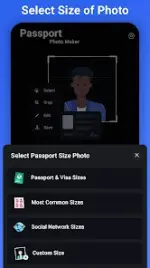

Technical Specifications: Passport Photo Maker
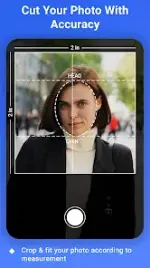
Passport Photo Maker is a specialized utility for Android 5.0 and above, engineered to generate compliant identity, visa, and passport photographs. Utilizing AI-driven background removal and precise cutout tools, the application streamlines the creation of official biometric images for over 100 countries. It facilitates the conversion of standard gallery portraits into professional-grade ID photos, allowing users to consolidate multiple images onto standard print layouts.Key Features
The application incorporates a suite of automated and manual editing tools to ensure regulatory compliance:- AI-Based Background Processing: Automated background removal and color replacement to meet official standards.
- Global Templates: Standardized presets for international visa, passport, and license requirements.
- Print Layout Generation: Multi-size layouts for A4, A6, 5x7, and 4x6 paper formats.
- Integrated Interface: Direct camera capture and gallery cropping functionality.
- High-Resolution Export: Support for local printing or digital submission with lossless quality.
- Custom Dimensions: Manual resizing options for specialized certificate requirements.
Technical Overview
| Category | Specification |
| Application Name | Passport Photo Maker, Photo ID |
| Version | v3.2.5 [Premium] |
| Minimum Android OS | 5.0+ |
| Architecture | armeabi-v7a, arm64-v8a |
| Features | Premium Unlocked, Debug Code Removed |
| Supported Formats | A4, A6, 3x4, 4x4, 4x6, 5x7 |
Mod Features
This version has been optimized for professional performance and includes the following modifications:- Premium Access: All ρáíd features are fully unlocked for unrestricted use.
- Architecture Support: Optimized for both armeabi-v7a and arm64-v8a devices.
- Optimized Footprint: Redundant files and debug codes have been removed to ensure a streamlined application size.
- Enhanced AI CutOut: Professional-grade background removal tools enabled by default.
- Clean Export: High-resolution output without watermarks or restricted dimensions.
What's New
- UI/UX Enhancements: Refined interface for improved navigation.
- Feature Accessibility: Streamlined workflows for easier understanding of advanced tools.
- Stability Improvements: General performance optimizations for faster image processing and local storage management.
Download