 PH
PH
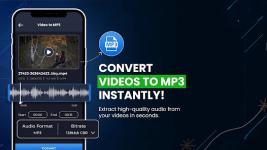

ConverterBlack | Professional Media Suite for Android
ConverterBlack is a robust media processing utility engineered for Android 7.0 and higher. Designed as a high-speed video-to-audio engine, the application facilitates the extraction of high-fidelity MP3 and AAC tracks from diverse source files. By integrating precision editing tools—including trimming, merging, and lossless compression—into a centralized interface, it provides a comprehensive solution for mobile media management.Technical Specifications
The software architecture is designed for broad compatibility, supporting an extensive array of containers, codecs, and adjustable parameters.| Category | Supported Extensions / Parameters |
| Video Formats | MP4, MKV, AVI, MOV, 3GP, FLV, MTS, MPEG, MPG, WMV, M4V, VOB |
| Audio Formats | MP3, AAC, AC3, OGG, M4A, WAV |
| Adjustable Variables | Resolution, Frame Rate (FPS), Bitrate, Orientation |
| Minimum OS | Android 7.0 (Nougat) or higher |
Core Functional Modules
The 2024 iteration prioritizes performance and visual integrity through advanced processing modules:- Video to MP3 Conversion: High-speed, single-tap extraction from HD and Full HD sources.
- Media Merger: Seamless integration of multiple audio and video streams into a unified file.
- Video Trimmer: Precision frame-cutting tools for the removal of unwanted segments.
- Lossless Compression: Significant file size reduction optimized to maintain original visual quality.
Advanced Manipulation Tools
Beyond standard conversion, the suite provides specialized controls for creative and technical adjustments:- Playback Control: Variable speed adjustments ranging from 1x to 10x.
- Visual Effects: Integrated reverse and looping functions.
- GIF Utility: Bidirectional GIF converter for animated content creation.
- Orientation & Audio: Tools for horizontal/vertical flipping, 360-degree rotation, and audio stripping for silent outputs.
Version 4.1.3 Updates
- Engine Optimization: Enhanced performance and stability through core bug fixes.
- Interface Refinement: Removal of advertisement layouts and associated activities.
- Build Optimization: Graphics have been zipaligned and the package cleaned for faster load times.
- Code Cleanup: Debug information and default source names removed for a streamlined footprint.
Modification Features
- Pro Subscription: All premium features fully unlocked.
- Ad-Free Experience: All advertising banners and interstitial activities removed.
- Performance Build: Optimized graphics and removed debug information for maximum efficiency.
Download