 PH
PH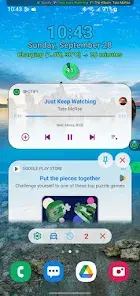
Notification Widget | Professional Overview
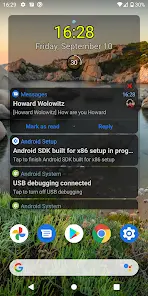
The Notification Widget offers a sophisticated interface for managing system alerts directly from the home screen. By synchronizing with the Android status bar, this utility allows for seamless interaction with incoming data, eliminating the need to manually expand the notification shade for every alert.Core Functionality
- Real-Time Synchronization: Mirror system tray alerts to a customizable widget interface instantly.
- Inline Interaction: Execute direct replies within messaging threads and active conversations.
- Media Integration: Native controls for managing background audio and video playback sessions.
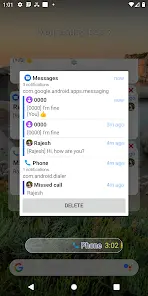
- Extended Retention: Access a comprehensive notification history for up to 72 hours.
- Alert Logging: Persistent tracking of dismissed notifications for retrospective review.
Technical Specifications
| Requirement | Specification |
| Android Version | 8.0 (Oreo) and higher |
| Mandatory Permission | Notification Access |
| Hardware Optimization | Autostart permission (Recommended for Xiaomi/MIUI) |
| Current Build | v1.5.208 |
| License Type | Pro / Premium |
Configuration & Deployment
To ensure stability, users must grant Notification Access during the initial setup. On devices with aggressive battery management (such as Xiaomi hardware), it is highly recommended to manually enable the Autostart permission within system settings. This prevents the background process from being terminated, ensuring consistent widget updates and media control responsiveness.Version Information
- Status: Premium Features Unlocked
- Changelog: General stability improvements and performance optimizations for the latest Android builds.
- Notes: This version includes the full feature set via the internal Pro path.
Download