 PH
PH
Technical Overview: Notification Filter & Action Utility
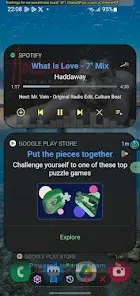
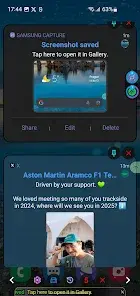
The Notification Filter and Action Utility provides a streamlined interface for managing system notifications on Android devices. This application enables users to generate custom on-screen triggers based on specific incoming alerts. By leveraging targeted filters—including application source and string-based text matching—the utility allows for granular control over notification visibility and interaction.Key Functionalities
The application incorporates several core functionalities designed for efficiency and precision:- Custom Trigger Logic: Create automated responses based on specific application names or notification body text.
- Retrospective Logging: Maintain a comprehensive history of notifications for later review and data recovery.
- Advanced Extraction: Integrated text selection tools for isolating and sharing specific segments of notification data.
- Interactive Overlays: Deploy dynamic on-screen button overlays for immediate, one-tap user interaction.
Technical Specifications
| Requirement | Specification |
| Operating System | Android 8.0 (Oreo) and higher |
| Architecture | Lightweight background service with persistent filtering engine |
| Core Engine | High-accuracy string parsing and regex-based filtering |
| Optimization | Minimal system footprint with low battery consumption |
Version Updates & Changelog
Recent Enhancements:- Contextual Interaction: Implemented long-click functionality on notification dots to summon the context menu.
- Visual Themes: Added "Star Wars" aesthetic profile for UI customization.
- System Stability: Refined code architecture for better "Select All" performance and data handling.
Modification Details
- Application: Notification Dots
- Version: 1.2.88
- Tier: Pro / Premium Unlocked
- Status: Stable Build
Download