 PH
PH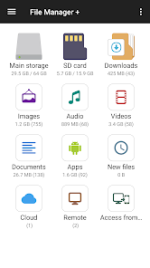
Advanced Management and Connectivity Overview
File Manager + is a comprehensive file exploration utility designed for Android 5.0 and higher. The application provides a centralized interface for managing local directories, network-attached storage (NAS), and various cloud services. Upon initialization, the software delivers an immediate visual breakdown of storage distribution and application counts.Core Functionality
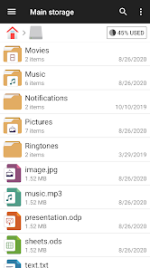
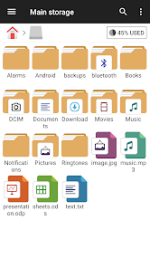
The utility supports a complete suite of management actions such as directory navigation, compression, and bookmarking. Files are automatically categorized by type to facilitate rapid retrieval. Integrated tools enhance the user experience by providing native viewing and editing capabilities:- Internal Image Viewer: Instant previewing of various image formats.
- Internal Music Player: Seamless playback of audio files.
- Internal Text Editor: Quick modifications to text-based documents.
- Storage Analysis: Identification and cleanup of cache and redundant files.
- Application Manager: Efficient handling of local software packages.
Connectivity and Remote Access
Beyond local storage and SD card support, the application facilitates remote file handling via FTP, SMB, and WebDAV protocols. The Access from PC feature allows users to manage mobile device directories through a desktop environment using File Transfer Protocol. It maintains compatibility with USB OTG and major file formats, ensuring versatile performance across diverse hardware configurations.Technical Specifications
| Feature | Details |
| Version | v3.7.0 |
| Status | Premium / Mod Extra |
| Compatibility | Android 5.0+ |
| Protocols | FTP, SMB, WebDAV, USB OTG |
| Cloud Integration | Google Drive, OneDrive, Dropbox, etc. |
Modification Log
Premium Unlocked- All ρáíd features and premium tools are fully accessible.
- Unwanted Permissions, Receivers, Providers, and Services have been disabled or removed.
- Ad permissions, services, and providers removed from the AndroidManifest.
- Ad links removed and invocation methods nullified.
- All ad-related layout visibilities have been disabled.
- Analytics, Crashlytics, and Firebase tracking disabled for enhanced privacy.
- Debug code removed to decrease application footprint and improve stability.
What's New
- General bug fixes.
- System performance improvements and optimizations.
Download