 PH
PH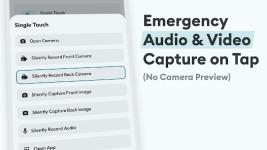
Action Notch: Touch The Notch v1.5.9 [Pro]
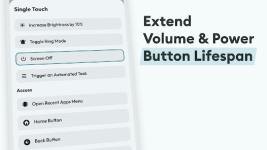
Action Notch transforms the front-facing camera cutout on Android devices into a multi-functional hardware shortcut. By utilizing the physical screen space occupied by the notch, the application mimics assistive touch and dynamic interface elements found in modern operating systems.The software utilizes the Accessibility Service API to place an invisible overlay around the camera cutout. This overlay detects touch events without collecting user data, serving strictly as a trigger for selected system tasks and reducing wear on physical hardware buttons.
Technical Specifications and Gestures
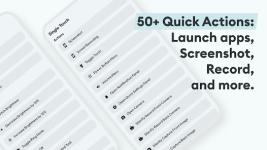
The utility supports five distinct gesture triggers: Single Tap, Long Press, Double Tap, Swipe Right, and Swipe Left. These can be mapped to the following categories:| Category | Available Actions & Tools |
| System Utility | Screenshot capture, Flashlight toggle, Power menu access, Screen locking |
| Navigation | One-touch page scrolling, Scroll to bottom, Recent apps menu |
| Access | Rapid camera launch, Third-party apps, Speed dial contacts |
| Modes & Tools | Screen rotation, Do Not Disturb, Ringer profiles, Brightness levels |
| Media & Audio | Play, Pause, Track skipping, Silent audio/video recording |
| Integrated Tools | QR/Barcode scanner, Browser, Screen recording |
Modification Details
This professional build includes several optimizations and premium enhancements:- Pro Features: All premium features are fully unlocked.
- Optimization: Redundant files, debug code, and tracking logs have been removed.
- Architecture Support: Optimized for
arm64-v8aandarmeabi-v7a. - Performance: Enhanced stability and reduced background resource consumption.
What's New in v1.5.9
- Foldable Device Support: Added option to disable the notch overlay when no notch is detected.
- New Actions: Integrated Screen Recording and "Scroll to Bottom" functionality.
- Privacy Controls: Added option to silently record audio and video.
- App Management: Added a blacklist feature to disable the overlay in specific applications.
- Call Handling: Added option to automatically pause actions during active phone calls.
- General Fixes: Various bug patches and stability improvements.
Technical Requirements
- Android OS: 7.0 and above.
- Permissions: Requires Accessibility Service to detect touch events near the camera cutout.
- Root: Not required.
Download