 PH
PH
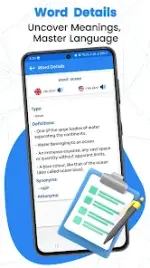

Technical Overview: Spell and Pronounce (Pro)
Spell and Pronounce is a sophisticated linguistic utility engineered for Android 7.0 and above. It bridges the gap between phonetic articulation and orthographic accuracy through a high-fidelity bidirectional conversion system. By leveraging advanced Voice-to-Text (VTT) and Text-to-Speech (TTS) engines, the application provides a seamless workflow for users to identify correct spellings and master complex pronunciations.Core Functionality
The application serves as a real-time bridge for language learners and professionals alike. Its primary utility lies in automating the transition between spoken and written forms, effectively eliminating phonetic barriers.- Spelling Verification: Converts vocal input into precise written text, ensuring accurate orthography.
- Phonetic Output: Utilizes a dedicated speaker interface to generate natural audible pronunciations from manual text entry.
- Real-Time Correction: Dynamically identifies and adjusts inaccurate pronunciations during the voice-to-text process.
- Incremental Spelling: Features a specialized slow-motion mode that enunciates individual letters sequentially for granular learning.
- Integrated Management: A streamlined interface allowing for the immediate copying, pasting, and sharing of processed text.
Technical Specifications
| Feature | Specification |
| Application Version | v2.6 [PRO] |
| Operating System | Android 7.0 (Nougat) or higher |
| Linguistic Support | English, French, German, Chinese |
| Core Engine | Bidirectional VTT / TTS |
| Interface Type | Single-page utility with integrated controls |
| License Type | Premium / Pro Unlocked |
Pro Features and Enhancements
The Pro version of Spell and Pronounce optimizes the user experience by removing latency and expanding functional capabilities. The interface is designed for high-speed response, ensuring that vocal inputs are processed and displayed without delay.- Corrective Feedback: The system is programmed to recognize common mispronunciations and provide the corrected textual equivalent instantly.
- Optimized Workflow: Minimalist design allows for one-tap access to microphone and speaker functions.
- Global Accessibility: Multilingual framework ensures high utility across diverse linguistic demographics.
- Premium Utility: Ad-free environment with all advanced phonetic tools unlocked for professional use.
Download