 PH
PH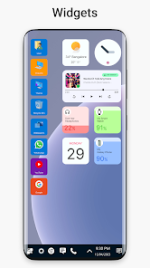
Win 11 Launcher | Desktop Experience for Android
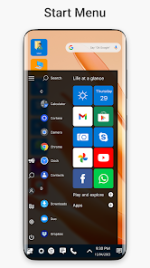
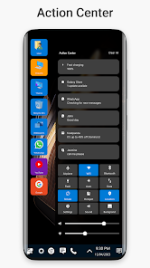
The Win 11 Launcher provides a comprehensive interface overhaul for devices running Android 10 and above. Modeled after the Windows 11 and Windows 10 ecosystems, this utility replaces the standard Android home screen with a professional desktop-style environment.Designed for both speed and power efficiency, the launcher utilizes a tile-based layout to optimize accessibility while maintaining a low resource footprint. It serves as a functional bridge for users seeking a desktop-centric navigation flow on mobile hardware, ensuring a seamless transition between mobile and PC-style productivity.
Technical Specifications
| Requirement/Feature | Detail |
| Minimum OS | Android 10.0+ |
| Architecture | Clean UI / Low Resource Usage |
| Interface Style | Tile-based Desktop Environment |
| Optimization | Minimal Battery Drain & High Responsiveness |
| Version | v9.46 (Build 946) |
Key Features Overview
The launcher integrates essential system management tools and aesthetic controls to mirror a full desktop experience:- Integrated File Manager: Comprehensive support for cut, copy, paste, and rename operations directly from the desktop.
- Archive Management: Built-in functionality for Zip and Unzip operations without requiring third-party plugins.
- System Navigation: Specialized navigation drawer for rapid app indexing and desktop shortcut generation for files.
- Advanced Customization: User-definable theme color palettes and a customizable tile-based application grid.
- Property Inspection: Detailed file property views and streamlined folder creation.
Version Updates & Changelog
- Themes: Newly implemented themes section for deeper UI customization.
- Personalization: Integrated library for custom fonts and ringtones.
- System Stability: Enhanced core architecture for smoother transitions on high-refresh-rate displays.
Modification Details
This release features the Premium version of the Win 11 Launcher, curated for a clean and efficient user experience.- Premium Unlocked: Access to all professional features and customization options.
- Optimization: All debug information and redundant code traces have been removed for faster execution.
- Environment: Ad-free experience with credit advertisements bypassed for an uninterrupted workflow.
- Modder: TurboMods
Download