 PH
PH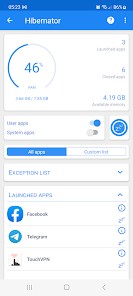
Hibernator: Force Stop Apps | v2.56.1 [Pro] [Amoled]
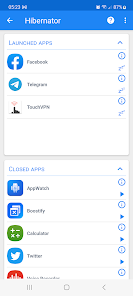
Hibernator provides a comprehensive solution to enhance device performance by closing all running applications with a single touch. By preventing apps from automatically relaunching, it effectively conserves battery life, reduces CPU temperature, and frees up system memory.Key Features
- Task Killer: Terminate background tasks and processes to reclaim system resources.
- Speed Booster: Accelerate device performance by eliminating lag caused by background activity.
- RAM Cleaner: Optimize available memory by freeing up RAM for active applications.
- Battery Saver: Extend battery longevity by stopping power-draining background processes.
- CPU Cooler: Lower device temperature by reducing CPU load.
- Automation: Automatically close applications every time the screen is turned off.
- Accessibility Support: Employs accessibility services to automate the "force close" process, assisting users with physical disabilities in managing repetitive system tasks.
Technical Specifications
| Feature | Details |
| App Name | Hibernator: Force Stop Apps |
| Version | v2.56.1 |
| Category | Utility / Performance |
| Compatibility | Android 4.4 and up |
| Privacy | No data collection |
| Architecture | Universal (All CPUs) |
| Mod Author | TRUMods |
Mod Features
- Pro Unlocked: All premium/ρáíd features are fully accessible.
- Network Privacy: Internet connection disabled to prevent tracking and ads.
- Optimized: Cleaned all useless files and removed debug information for a smaller footprint.
- AMOLED Theme: Default theme set to a pure black AMOLED style (including the force-close screen).
- Multi-Language: Full support for multiple languages.
Permissions & Security
To function effectively, this application requires specific permissions:- Accessibility Service: Required to automate the force-closing of apps by emulating click actions within system settings.
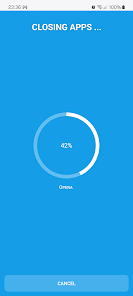
- Draw Over Apps: Necessary to display a wait screen during the hibernation process.
- Modify System Settings: Used to turn off the screen automatically once hibernation is complete.
What's New
- General bug fixes and performance improvements.
Download