 PH
PH
Nova Launcher: Technical Overview and Feature Set
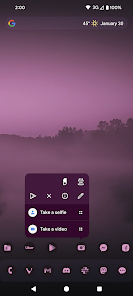
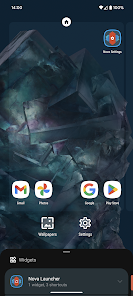
Nova Launcher remains a cornerstone of the Android ecosystem for users seeking a performance-oriented, Material Design-compliant home screen replacement. Compatible with Android 8.0 and above, it provides a highly optimized environment that balances deep customization with smooth animation rendering.The launcher distinguishes itself through granular control mechanisms—such as subgrid positioning for icons and widgets—and a sophisticated backup system for layout preservation. The core feature set includes extensive color controls for UI elements, scrollable docks, and a reorganized widget drawer grouped by application.
For power users, the Prime functionality expands the experience via a gesture engine, custom app drawer categorization, and per-icon swipe actions. While the application can utilize the Device Administrator permission for optional screen-locking features, its primary focus remains on delivering a fast, AOSP-style interface without the overhead of proprietary skins.
Application Specifications
| Category | Details |
| App Name | Nova Launcher |
| Minimum OS | Android 8.0+ |
| Interface Style | Material Design / AOSP |
| Primary Focus | Performance and Customization |
| Key Capability | Layout Import & Subgrid Positioning |
Modification Highlights
The following enhancements and optimizations have been applied to the Prime version of the application:- Premium Unlocked: All Prime features are active; no additional license key is required.
- Privacy & Analytics: * Analytics and Crashlytics components disabled.
- Native Bugsnag analytics removed entirely.
- System Optimization:
- Unnecessary Permissions, Receivers, and Providers removed.
- Debug code stripped for improved execution speed.
- Unwanted background services disabled to reduce resource overhead.
Recent Updates
- Changelog: No specific changes provided for this build.
Download