 PH
PH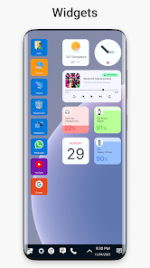
Win 11 Launcher for Android | Professional Interface Overhaul
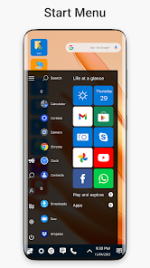
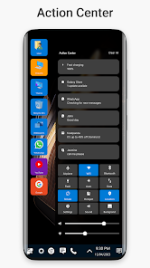
The Win 11 Launcher for Android provides a sophisticated interface transformation inspired by the desktop aesthetics of Windows 10 and 11. Specifically engineered for devices running Android 12 and above, the application prioritizes a clean, energy-efficient user experience while maintaining deep customization options for the mobile environment.By transitioning the standard Android UI into a tile-based layout, the launcher enables users to organize applications within a functional grid reminiscent of a desktop operating system. Beyond visual enhancements, it integrates a robust file management system capable of executing complex operations—including cut, copy, paste, rename, and compression—directly through the interface.
Key Technical Specifications
| Feature | Details |
| Compatibility | Android 12.0+ |
| Architecture | arm64-v8a, armeabi-v7a |
| Interface Style | Windows Desktop / Tile-based Grid |
| File Management | Integrated (ZIP, Unzip, Properties, Shortcuts) |
| Customization | Themes, Fonts, and Personalized Tile Configurations |
Version Updates and Enhancements
- Themes: Newly implemented themes section for comprehensive visual styling.
- Audio: Integrated ringtone selection management.
- Typography: Added support for custom system fonts.
- Optimization: Enhanced stability for high-resolution displays and modern aspect ratios.
Modification Details
This release includes the following professional optimizations and unlocks:- Premium Access: All advanced features and customization tools are fully unlocked.
- Global Support: Multi-language localization including EN (AU, CA, GB, IN, XC), BN, GU, KN, MR, TA, and TE.
- Clean Build: All debug information and redundant tracking code have been removed for improved privacy and performance.
- Optimization: Resource files have been streamlined to reduce the application footprint.
Download