 PH
PH
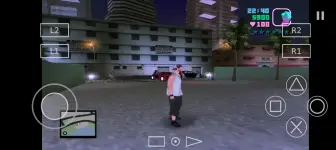
Step 1: Download GTA VI Vice City Mod ZIP File and Extract...
Link: You do not have permission to view the full content of this post. Log in or register now.
Step 2: Download AetherSX2 & BIOS ZIP File and Extract...
Link: You do not have permission to view the full content of this post. Log in or register now.
Step 2: Download ZArchiver on Playstore
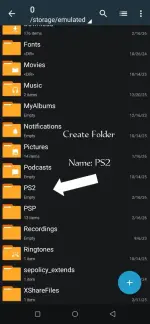
Step 3: Open the ZArchiver then Create Folder Name PS2
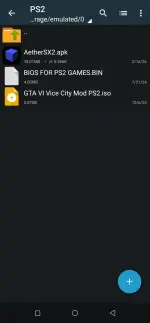
Step 4: Ilagay lahat ang nadownload na ZIP File papunta sa PS2 Folder
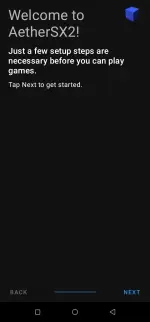
Step 5: Open AetherSX2 Next nyu lng hanggang mag Finish
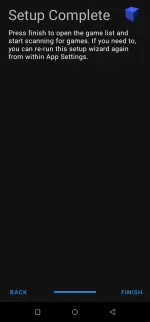
Step 6: Pindutin ang ADD GAME DIRECTORY
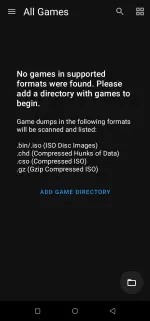
Step 7: Use This Folder Select PS2 Folder and Allow.
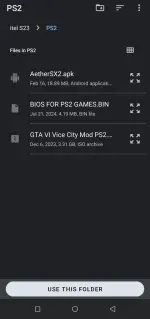
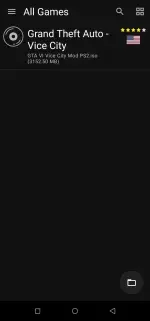
Step 8: Pindutin ang GTA VI Vice City Mod at Mag start na yung game.
Note: Kapag Maghanap ng BIOS Pindutin lng ang BIOS FOR PS2 GAMES.BIN
DOWNLOAD TUTORIAL:
You do not have permission to view the full content of this post. Log in or register now.
DISCLAIMER:
I am not the owner or creator of this modified app. I am just sharing it with you.