 PH
PH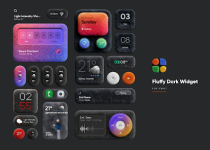
Fluffy Dark for KWGT | Premium Aesthetic Widget Collection
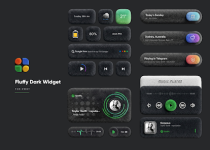
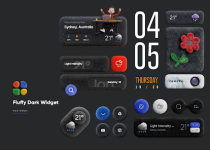
Fluffy Dark for KWGT is a specialized design framework for Android 5.0 and above, centered on a tactile, soft-textured aesthetic. The collection emphasizes gentle depth, rounded geometry, and a matte dark finish, merging functional utility with a refined 3D design language.The pack includes 20 proprietary wallpapers specifically mastered to complement the "fluffy" visual style. As a dedicated component for the Kustom ecosystem, this application functions as a skin provider and requires the KWGT Pro key alongside a compatible custom launcher for optimal implementation.
Technical Specifications
| Category | Details |
| Widget Count | 40+ Premium Widgets |
| Wallpaper Library | 20 High-Resolution Thematic Backgrounds |
| Design Language | Soft-Texture / Neumorphic Dark 3D |
| Compatibility | KWGT Pro & Android 5.0+ |
| Recommended Launcher | Nova Launcher or equivalent |
Key Features
- Soft-Textured Visuals: Specialized dark widgets featuring sophisticated 3D depth effects.
- Precision Scaling: Full support for internal scaling settings within the KWGT editor to ensure layout accuracy.
- Thematic Synergy: High-resolution wallpapers tailored to match the widget shadows and highlights.
- Iterative Updates: Ongoing support for new content and UI adjustments.
Version Information
What’s New in v4.0- Widget Expansion: Added 10+ new premium widgets to the library.
- Optimization: Enhanced shadow rendering for improved battery efficiency.
- Interface: Streamlined widget selection menu.
- Status: Patched / Premium Unlocked.
- Requirements: Requires KWGT PRO (ρáíd Version) to apply widgets.
Installation Guide
- Environment Setup: Install the KWGT PRO application and a custom launcher.
- Deployment: Long-press your home screen and select the KWGT Widget (choose size).
- Selection: Tap the empty widget on your screen and select Fluffy Dark from the installed packs.
- Configuration: Select your preferred widget and use the "Layer" tab in the editor to scale the size to your preference.
- Finalize: Hit the save icon to apply the changes to your home screen.
Download