PH
PHrainych_ran
Contributor

About the Game
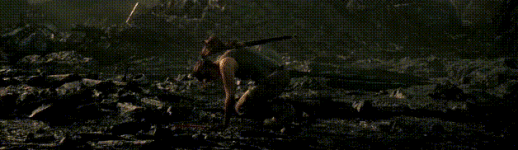
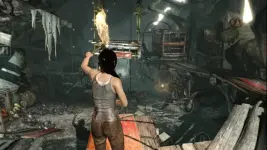
Before there was the Tomb Raider, there was Lara Croft; twenty-one years old and shipwrecked on her
first archaeological expedition. To escape the mysterious isle of Yamatai, she must push far beyond her
limits, leave innocence behind and be reborn a legend.
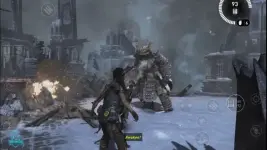
Explore Yamatai’s ancient ruins, unlock its riddles and fight for survival against its murderous
inhabitants.
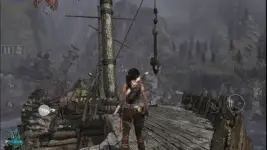
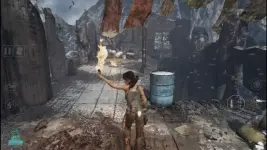
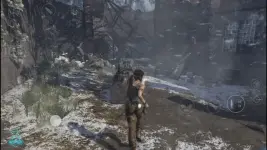
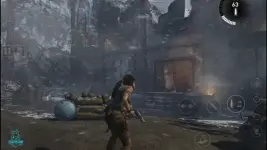
Tomb Raider for Android is the complete adventure, expertly adapted for mobile. Play it your way,
whether using intuitive touchscreen controls, mouse & keyboard, or your favourite gamepad.
Tomb Raider for Android is the complete adventure, expertly adapted for mobile. Play it your way,
whether using intuitive touchscreen controls, mouse & keyboard, or your favourite gamepad.
TOMB RAIDER COMPLETE AND UNCUT
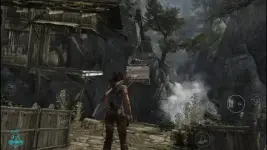
Lara’s first AAA outing on Android arrives without compromise — packed with exploration, intense firefights,puzzles and Challenge Tombs.
OVERCOME THE ODDS
Unlock skills, hunt for materials, and craft equipment to take Lara from desperate survivor to master adventurer.UNCOVER A LOST KINGDOM
Discover lost relics and ancient scrolls to unravel the mysteries of Yamatai and the cultists who prowl its depths.INCLUDES BONUS CONTENT
Tomb Raider for Android comes with 12 DLC packs, including Skills, Weapon Upgrades and a variety of skins for Lara,plus a bonus Challenge Tomb.
TAILORED TO ANDROID
Includes gyroscopic motion-aim on supported devices, as well as optimisation presets for improved performance or visuals.Tomb Raider requires Android 13 or later. You need 12.5GB of free space on your device, though we recommend at least double this
to avoid initial installation issues.
To avoid disappointment, we aim to block users from purchasing a game if their device is not capable of running it. If you are able
to purchase this game on your device then we expect it to run well in most cases.
However, we are aware of rare instances where users are able to purchase the game on unsupported devices. This can occur when a
device is not correctly identified by the Google Play Store, and therefore cannot be blocked from purchasing. For full details on the
supported chipsets for this game, plus a list of tested and verified devices

MOD Features
Unlock full ContentThe critically acclaimed action RPG game Tomb Raider on Steam has officially announced a mobile port!
After entering the game, 9GB of game data needs to be downloaded. Please wait patiently.
Note: This game requires a higher Android version to play. Players who mind this should download with caution.
This is just base APK installer and cache data, ferral interactive change download data path or something else like another ferral interactive game that already release for android: company of heroes, grid legend that always appears error when download additional cache data. But if out there already people that buy original game and download the cache data and share it, the cache data will worked. The cache data stored inside game folder inside Android/data folder.
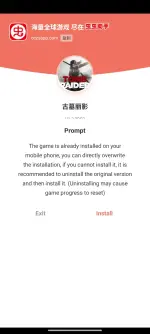
Install Steps:
1. Download MT Manager App
(You can download the app here > You do not have permission to view the full content of this post. Log in or register now.)
2. Install game apk (after installing complete don’t lunch the game)
3. This is Criticial Part Make Sure You Follow the Steps
Open the MT Manager App, Go to android/data using MTapp Tap & Hold rename data folder to "data0"
(Free choose left or right panel MTManager)
-Enter the data0 folder.
-Another panel go to cache data file and then tap-hold the zip file of cache data, extract #1 cache data and then extract #2 cache data, select extract (make sure other panel: android/data folder) and then extract it, overwrite all file.
Step by step to bypass game update and play with internet on:
- Using Mt manager, go to:
Android/data/com.feralinteractive.FIND FOLDER THE GAME NAME: WITH WORD TOMB RAIDER/files/feral_app_support/cache/
- delete folder “cache” just tap hold cache folder and then select delete
- Create new file without any file extension, named “cache”, just press + in the bottom center mt manager and then type “cache” and
- When all done, rename again folder android0 to android
4. Done, first play it with internet phone off, if success just try to activated the phone internet.
NOTE: ALTERNATIVE MT MANAGER USE THIS FILE MANAGER TO COPY/CUT PASTE THE EXTRACTED CACHE DATA FILE
8.48 GB CACHE OBB DATA FOR Android/data
Download
52.9 MB CACHE DATA FOR Android/data
Download
1.57 GB TOMB RAIDER V1.3.3RC2 APK FILE
Download