 PH
PH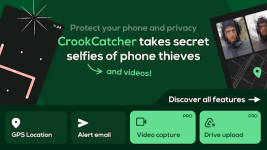
CrookCatcher • Anti-Theft Security
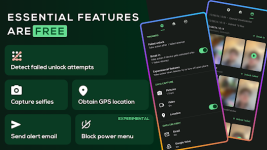
CrookCatcher is a sophisticated security solution for Android (8.0+) designed to identify and track unauthorized access attempts. The application remains dormant to conserve battery, activating only when an incorrect PIN, pattern, or password is entered. Upon a failed unlock attempt, the app captures a high-resolution photo of the intruder and immediately dispatches an alert email featuring the image, precise GPS coordinates, and a localized address.Key Technical Specifications
| Feature | Description |
| Intruder Capture | High-definition photo capture via front and rear cameras. |
| Location Tracking | Real-time GPS coordinates and estimated street address. |
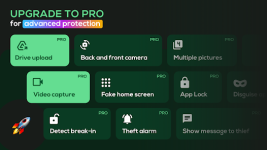
| Advanced Forensic | Video and audio recording capabilities for evidentiary support. |
| Cloud Integration | Seamless automatic synchronization with Google Drive. |
| Privacy Controls | Ability to disguise the app icon and set custom lock screen messages. |
| System Hardening | Blocking of the power menu and notification shade via Accessibility permissions. |
| s†éálth Mode | Break-in detection post-unlock for delayed or strategic captures. |
Modification Details
This version provides full access to the Premium and Pro security suites, optimized for performance and privacy.- Premium Unlocked: All Pro features and advanced anti-theft tools are fully accessible.
- Privacy Enhanced: All advertising links, billing activities, and install referrer tracking have been disabled.
- Optimized Code: Debug code, unnecessary files, and
.sourcetags have been removed for a smaller footprint and faster execution. - Security Focus: Enhanced protection against forced device shutdown attempts by unauthorized users.
Usage Notes
- Device Administration: This app requires Device Administrator privileges to monitor lock screen attempts.
- Android 13+: Standard system indicators will briefly appear when the camera is active, per Android security protocols.
- System Reboots: On certain firmware, manual re-activation may be required following a device restart to ensure continuous background monitoring.
- Hardware Compatibility: Users with pop-up or mechanical cameras should note physical limitations during rapid capture events.
Download