 PH
PH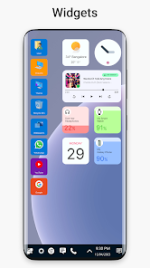
Win 11 Launcher | Desktop Experience for Android
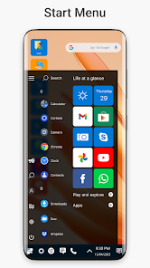
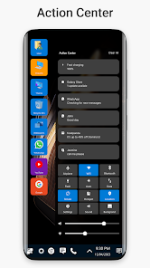
The Win 11 Launcher provides a comprehensive interface overhaul modeled after the modern Windows desktop environment. Optimized for Android 10 and above, this utility prioritizes a clean, energy-efficient user experience while delivering a desktop-class file management system directly to mobile devices.Users can perform advanced file operations including cut, copy, paste, and renaming, alongside native support for creating folders, shortcuts, and managing compressed archives. The software emphasizes personalization through a tile-based application layout and adjustable theme color palettes, streamlining access to frequently used applications through a single-click interface.
Version Overview
| Feature | Details |
| Version | v9.43 (Build 943) |
| Android Requirement | 10.0 and up |
| Category | Personalization / Productivity |
| Status | Premium Unlocked |
Mod Features
- Premium Unlocked: Access to all pro-tier features and customization options.
- Ad-Free Experience: All credit and third-party advertisements have been removed.
- Optimized Build: All debug information and unnecessary code removed for faster performance.
- Enhanced Navigation: Premium page scroll animations enabled by default.
Recent Updates
- Interface Refinement: Improved grid size scaling for high-resolution displays.
- Wallpaper Engine: Redesigned wallpaper section for better visual selection.
- Stability Fixes: Resolved touch responsiveness issues within system widgets.
- Animation Overhaul: Significant improvements to page scroll fluidity and transitions.
- Visual Fidelity: General design fixes and UI alignment corrections.
Technical Specifications
- File Management: Native zip/unzip functionality and property visualization.
- Customization: Full support for custom tile layouts and taskbar shortcuts.
- Efficiency: Designed for high-performance without significant battery drain.
Download