 PH
PH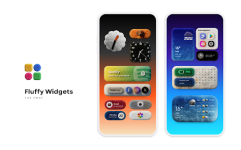
Fluffy for KWGT | A Texture-Rich Customization Suite
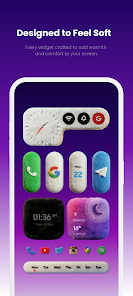
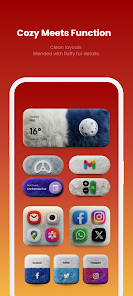
Fluffy for KWGT introduces a sophisticated, texture-oriented aesthetic for Android enthusiasts, prioritizing soft depth and modern visual warmth. This collection moves away from flat design, instead utilizing tactile details and subtle shadows to create a calm yet playful atmosphere on your home screen.The package provides a comprehensive toolkit for building refined layouts, ensuring that every widget feels integrated and purposeful.
Core Features and Specifications
| Feature | Details |
| Widget Library | 50+ textured widgets available at launch |
| Wallpapers | 20+ high-quality coordinated backgrounds |
| Customization | Integrated global settings for streamlined editing |
| Compatibility | Android 5.0 and higher |
| Required Tools | KWGT PRO (ρáíd Version) & Custom Launcher |
Technical Requirements & Usage
This is not a standalone utility. To ensure a seamless experience, please follow these guidelines:- KWGT PRO: You must have the Pro Key installed to load these presets.
- Launcher Settings: Optimal results are achieved using a custom launcher, such as Nova Launcher.
- Scaling: If a widget appears incorrectly sized, use the "Layer" tab within the KWGT editor to adjust the scale relative to your specific grid density.
Version 6.1 Change Log
What’s New:- Resolved formatting and functional bugs in Widget No. 00118.
- Optimized asset loading for improved performance.
- Status: Patched / ρáíd Features Unlocked.
- Architecture: Universal CPU support.
- Localization: Multi-language support included.
- Security: No Root, Lucky Patcher, or Modded Google Play required.
Installation Overview
- Install KWGT PRO and a compatible custom launcher.
- Install Fluffy for KWGT.
- Long-press your home screen to add a KWGT Widget frame.
- Tap the frame and select a preset from the Fluffy library.
- Adjust scaling in the "Layer" tab if necessary and save.
Download