 PH
PH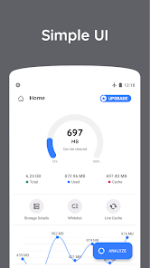
Zero Cleaner: Advanced Cache Management Utility
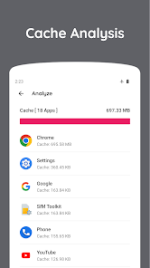
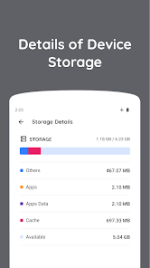
Zero Cleaner provides a streamlined utility for managing application cache on Android devices running version 8.0 and above. The tool serves as a dedicated cache-clearing solution designed to optimize storage by identifying and removing redundant temporary files.Its core functionality revolves around a comprehensive analysis engine that scans installed applications to quantify accumulated cache data. Users can execute cache removal through manual intervention or utilize the automated clearing feature for increased efficiency. The application maintains a persistent record of optimization activities through a standard history log and a detailed history view, allowing for precise tracking of reclaimed storage space over time. Additionally, Zero Cleaner incorporates a floating dock interface, which facilitates rapid access to its primary management tools from any screen.
Technical Specifications
| Feature | Details |
| App Name | Zero Cleaner |
| Minimum OS | Android 8.0+ |
| Core Function | Automated Cache Cleaning |
| Interface | Floating Dock & History Log |
| Mod Status | Premium Unlocked |
Latest Updates
- Performance: General bug fixes and stability improvements.
- Architecture: Optimized for Armeabi-v7a, Arm64-v8a, X86, and X86_64.
- Display: Full support for Ldpi, Mdpi, Tvdpi, Hdpi, Xhdpi, Xxhdpi, and Xxxhdpi.
Localization Support
Zero Cleaner supports an extensive range of languages to ensure global accessibility, including: English (AU, CA, GB, IN, XC), Spanish (US), Portuguese (BR, PT), Arabic, Chinese (CN, HK, TW), French (CA), German, Greek, Hindi, Italian, Japanese, Korean, Russian, Turkish, Vietnamese, and many others.Modification Overview
- Premium Features: All professional tools and automated clearing options are fully unlocked.
- Clean Interface: Removed unnecessary restrictions to provide a seamless user experience.
Download