 PH
PH
MobiPDF Editor and Scanner | Professional Document Suite
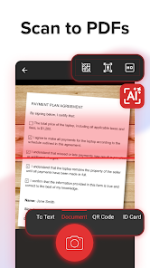
MobiPDF (formerly PDF Extra) provides a desktop-class document management experience tailored for mobile environments. As an official member of the PDF Association, this suite offers a high-fidelity editor and an AI-powered scanner designed for professionals who require precision, security, and versatility on Android devices.Core Functionality
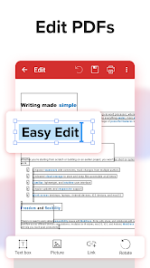
The application integrates advanced OCR (Optical Character Recognition) technology with deep document manipulation tools. Users can modify existing text and images directly within the PDF, rather than merely annotating. The security module ensures that sensitive workflows remain protected through industry-standard encryption and digital certificate validation.Technical Specifications
| Feature | Description |
| AI Scanner | Advanced edge detection with searchable OCR conversion. |
| Direct Editing | Full manipulation of text, images, and digital signatures. |
| File Conversion | Bi-directional support for Word, Excel, PowerPoint, and ePub. |
| Security | Password encryption and digital certificate management. |
| Organization | Merge, rotate, and extract pages while maintaining layout integrity. |
| Cloud Storage | Integrated MobiDrive support (5GB standard / 50GB premium). |
Version 11.12.270246 Update
- Persistent Page State: Documents now automatically reopen at the last viewed page, eliminating the need for manual scrolling.
- Enhanced Scanner Logic: Improved border detection and optimized auto-capture for faster document digitization.
- Stability Improvements: Refined background processes for smoother performance on Android 8.0+.
Modification Details
This release provides access to the full suite of professional tools without the interruptions found in the standard version.- Premium Unlocked: Access all ρáíd features, including 50GB MobiDrive storage and advanced conversion engines.
- Streamlined Architecture: Unnecessary permissions, receivers, and background services have been removed to improve battery efficiency and privacy.
- Clean Interface: All advertisement links, bundled SDKs (including Facebook), and debug codes have been nullified or removed.
- Optimized Manifest: Permissions have been audited to ensure only essential functions remain active.
System Requirements
- Operating System: Android 8.0 or higher.
- Account: Log in to synchronize your 50GB cloud storage allocation across devices.
Download