 PH
PH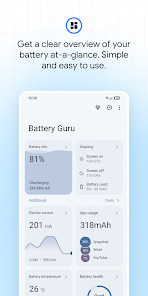
Battery Guru: Advanced Battery Health & Optimization
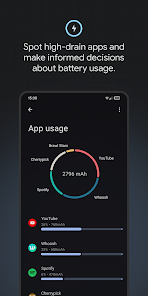
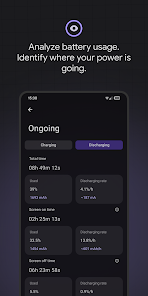
Battery Guru is a comprehensive battery management utility for Android 7.0+ designed to monitor health and optimize longevity through data-driven insights. The application provides granular metrics by measuring real-time capacity and supporting dual-battery configurations. By tracking charging current and discharging cycles, it helps identify efficient hardware combinations and monitors wear over time.The tool features advanced monitoring of system states, including deep sleep percentages, wakelock analytics, and application-specific power consumption. Users can implement protective measures via customizable temperature and charge limit alarms. Beyond passive monitoring, the application includes a Doze editor to fine-tune Android's idle states and an extended system battery saver with configurable profiles for animations and data usage.
Key Functional Overview
| Feature Category | Description |
| Real-Time Monitoring | Status bar indicators for current (mA), temperature, and battery level. |
| Historical Data | Three-month logs for charging and discharging cycles. |
| System Optimization | Granular control over aggressive Doze parameters and idle states. |
| Protective Alarms | Automated notifications for abnormal usage, temperature spikes, and charge limits. |
| Power Analytics | Estimates for remaining uptime and charge duration based on current usage. |
Technical Updates and Improvements
Service Stability- Improved application service initialization during device boot and post-update sequences.
- Reworked service lifecycle to mitigate unexpected terminations and duplicate instances.
- Integrated an advanced service manager to ensure persistent background operation.
- Refined battery information reading logic for increased precision.
- Enhanced battery health estimation algorithms (requires initial charging cycles for calibration).
- Optimized caching mechanisms to reduce CPU overhead and storage footprint.
- Introduced an Always On Display (AOD) featuring real-time charging metrics and burn-in protection.
- Implemented a dual-panel layout optimized for landscape orientation and large-screen devices.
- Resolved issues regarding widget recreation and data synchronization.
- Migrated navigation components and charting engines to the latest framework versions.
- Improved handling of wakelocks and system alarms.
- Expanded library support and updated global translations.
Modification Specifications
Premium Enhancements- AdFree / ρáíd features fully unlocked.
- Disabled and removed unnecessary Permissions, Receivers, Providers, and Services.
- Removed all advertising links, method invokes, and layout visibilities.
- Premium features enabled by default.
- Analytics, Crashlytics, and Firebase tracking components completely disabled.
- Debug code and native crashguards removed for a streamlined experience.
- Removed promotional application links and rate dialog prompts.
- Cleaned AndroidManifest for reduced system impact.
Download