 PH
PH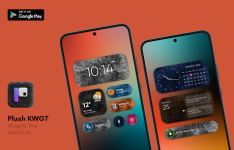
Plush KWGT | Professional Widget Suite
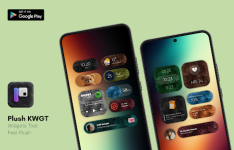
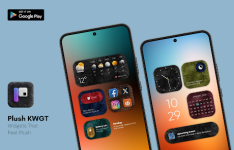
Plush KWGT introduces a distinct aesthetic to Android home screens by blending high-fidelity fluffy textures with structured flat card layouts. Designed for Android 6.0 and higher, the pack departs from traditional glass or minimalist trends to offer a tactile, bold visual style that maintains readability through clean typography and rounded geometry.The widgets are optimized for diverse setups, performing effectively against gradient, blurred, or soft-color wallpapers in both light and dark modes. The initial release contains over 50 widgets with a roadmap for consistent content updates.
As a specialized skin pack, it functions as a plugin rather than a standalone application, necessitating the KWGT Pro Key and a custom launcher such as Nova for full implementation. Technical adjustments for layout precision are managed via the scaling options within the primary KWGT interface.
Technical Specifications
| Requirement | Specification |
| OS Version | Android 6.0 or higher |
| Prerequisite | KWGT Pro Key (ρáíd) |
| Launcher | Custom Launcher (e.g., Nova Launcher) |
| Content | 50+ Premium Widgets |
| Architecture | Universal (All CPUs) |
| Interface | Multi-language Support |
Version 2.6.8 Release Notes
- Content Expansion: Integration of new premium widgets.
- Visual Refinement: Enhanced texture rendering and geometry.
- Stability: General performance improvements and layout optimizations.
Modified Package Features
- Distribution: ρáíd / Patched version.
- Optimization: Removed all unnecessary files and debug code for a smaller footprint.
- Compatibility: Universal architecture support with modified package signature.
- Clean Build: No requirement for Root, Lucky Patcher, or Modded Play Stores.
Implementation Guide
- Environment Setup: Ensure both KWGT and the KWGT Pro Key are installed on your device.
- Widget Placement: Long-press your home screen and add a KWGT widget frame to your layout.
- Selection: Tap the empty frame and select "Plush KWGT" from the installed packs list.
- Calibration: If the widget appears misaligned or small, navigate to the "Layer" tab within the KWGT editor and adjust the "Scale" percentage to fit your screen resolution.
Download