 PH
PH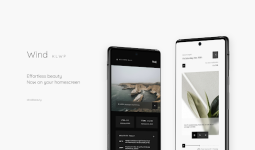
Application Overview
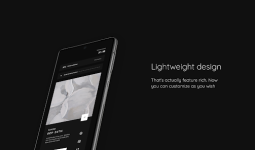
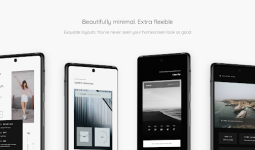
Wind KLWP is a sophisticated customization suite for Android 9.0 and higher, engineered for users who prioritize minimalist aesthetics and peak system efficiency. Developed as a collection of premium presets for the Kustom Live Wallpaper (KLWP) Pro engine, the application delivers a lightweight experience without compromising on functional depth or visual appeal.The suite features over 15 unique presets that integrate essential data—including real-time weather, system telemetry, and chronological information—into a refined, transparent interface. Designed with performance in mind, each layout utilizes smooth transition animations optimized to minimize battery consumption.
Key Technical Specifications
| Feature | Details |
| Minimum OS | Android 9.0+ |
| Required Engine | KLWP Pro Key (Standalone) |
| Preset Count | 15+ Unique Designs |
| Customization | Real-time Global Variable Support |
| Security | Presets are Locked to Maintain Integrity |
Version 8.8 Changelog
This latest iteration focuses on visual refinement and core stability, ensuring compatibility with modern Android environments.- Updated Visuals: New default high-definition wallpapers integrated for Wind 4, 5, and 9.
- Library Expansion: Full collection of presets optimized for the current build.
- Performance: Refined animation logic for stutter-free transitions.
Package & Modification Details
This version has been meticulously optimized to remove unnecessary components, resulting in a cleaner, faster deployment.- Optimization: All debug codes and redundant files have been purged.
- Architecture: Universal CPU support for maximum device compatibility.
- Language Support: Full multi-language localization included.
- Licensing: Patched for seamless integration; no external modification tools or root access required.
- Integrity: Original package signature updated for stability.
Installation Notes
To deploy these presets, ensure that KLWP Pro is installed on your device. Open the Wind KLWP application, select your preferred preset, and save the configuration within the Kustom editor to apply it to your home screen.Download