 PH
PH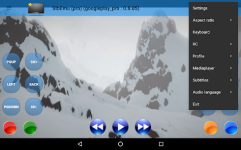
Software Overview: StbEmu (Pro)
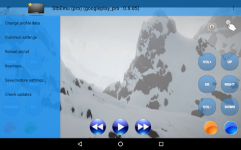
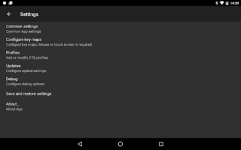
StbEmu is a specialized software emulator designed to replicate the interface and functionality of hardware-based IPTV set-top boxes on the Android platform. Engineered for experienced users, this utility mirrors specific IPTV environments, allowing for a seamless transition from hardware to software-based viewing.By default, the application is pre-configured with a demo portal for connectivity testing. Full deployment requires manual configuration tailored to a specific IPTV provider's requirements. It is important to note that this software does not provide native support for M3U playlists; operability depends entirely on the precise adjustment of internal settings and a thorough understanding of IPTV box architecture.
Core Functionalities
- Middleware Replication: Authentic reproduction of set-top box user interfaces.
- Advanced Configuration: Deep-access menus for provider-specific authentication and portal management.
- Extensive Documentation: Access to a comprehensive wiki to assist with technical setup and troubleshooting.
- Broad Compatibility: Optimized for environments running Android 7.0 and higher.
Technical Specifications
| Attribute | Details |
| Version | v2.0.20 Build 20020000 |
| Package Type | ρáíd, Bundle, AntiSplit |
| Minimum OS | Android 7.0+ |
| Architecture | 32-bit and 64-bit supported |
| Player Engines | ExoPlayer, VLC, MPV |
Recent Updates
Player Enhancements The internal player engines, including Exo, VLC, and MPV, have been updated to their latest stable iterations. Notably, support for the MPV player has been restored for 32-bit legacy devices to ensure broader hardware compatibility.Stability Fixes General bug fixes and underlying code optimizations have been implemented to resolve intermittent connectivity and interface issues reported in previous builds.
Installation Guidelines (Split APKs)
For the .apks bundle format, the Split APKs Installer (SAI) is required for non-root environments:- Preparation: Ensure the Split APKs Installer (SAI) is installed on the target device.
- Selection: Open the SAI utility and navigate to the "Install APKs" interface.
- Execution: Locate and select the downloaded .apks archive. The installer will handle the internal dependencies and finalize the application deployment.
Modification Features
- Pro Status: Full premium features unlocked.
- Architecture: Optimized bundle with AntiSplit technology for universal device compatibility.
- Clean Build: Removed unnecessary analytics and tracking components.
Download