 PH
PH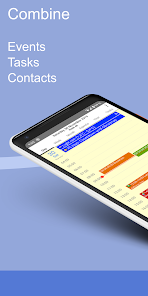
APP DESCRIPTION
5.0+
Overview:
CalenGoo is a flexible and extensive calendar app with integrated task management. It is designed to make it easier and faster to work with your calendar on your phone. By its diverse configuration options you can customize it to suit your needs. This way your appointments and tasks are presented in a clear way that makes planning easier.
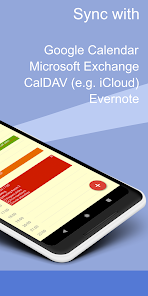
By integrating the Android calendar, it can be synced with many calendar systems such as Google, Exchange, CalDAV and iCloud. In addition, a direct sync with Google Calendar is integrated that you can use to sync all your past and future events.
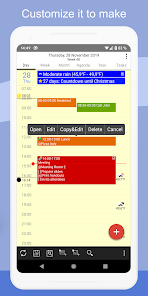
Using the five calendar views (day, week, month, agenda, year) you can view your appointments and tasks in different ways. Appointments can be color coded and you can copy and move them using drag&drop.
Under "Settings > Design" you can choose from different designs.
Tasks can be managed in the task view and synced with Google Calendar. Just add your Google account under "Settings > Tasks".
A built-in Evernote sync allows you to display Evernote reminders and you can attach Evernote notes to appointments.
If you have any questions or problems, please contact . You can open the settings using the icon with the three dots in the top right corner.
Additional features:
- Drag&drop to copy, move, open and delete events
- A wide selection of widgets (day, week, month, list, tasks)
- Sharing calendars with other people and inviting people to appointments (via Google Calendar).
- Supports the same recurrence rules for recurring events as Google Calendar
- Icons can be assigned to events (when syncing directly with Google) and are also displayed in Google Calendar
- Improved time and date picker
- Search function
- Various reminder functions
- Multiple reminder types when syncing with Google Calendar (SMS,
• Added edge-to-edge support for all screens
• Improved support for Google's birthday entries.
• Added several new options (e.g. separate color for private events, GPS for sunrise/sunset, "free" event color only for selected calendars, ...).
• Workaround for syncing via Graph API.
• Bug fixes
- No LP or Modded GP NeededStandalone Android PackageCPU architectures: UniversalLanguages- ""En" "Es" "Ru" "De""Fr" "Ua" "IT" "HI" "BN" "GU" "KN" "MR" "TA" "TE"Screen DPIs: 160dpi, 240dpi, 320dpi, 480dpi, 640dpiOptimized Graphics/ZipalignedDebug Info Removed
- This app has no advertisements