PH
PHStep 1: rename obb
Step 2: uninstall PUBG
Step 3 : Install Mod PUBG Apk
Step 4 : At login screen Select the mods ( Only select Color Options like body color , weapon color etc)
Step 5 : Login with a New account ( never login with original account in mod APK)
Step 6 : when you reach lobby, in the mod click on coppy programbinarycache.
Step 7: once copy is done, rename obb and uninstall PUBG game.
Step 8: Install original PUBG game and rename obb to original name and open PUBG and wait untill u go to login page.
Step 9: Delete Programbinarycache folder from android/data/com.tencent.ig
Step 10 : copy programbinarycache data from download folder to android/data/com.tencent.ig
Note: Programbinarycache mod file will be saved under downloads/bhanuyt folder
Files link: You do not have permission to view the full content of this post. Log in or register now.
If you have anny issue, Comment here
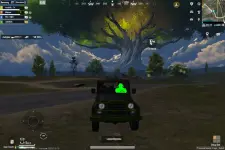
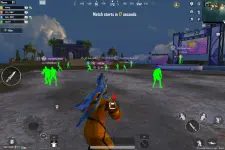
Step 2: uninstall PUBG
Step 3 : Install Mod PUBG Apk
Step 4 : At login screen Select the mods ( Only select Color Options like body color , weapon color etc)
Step 5 : Login with a New account ( never login with original account in mod APK)
Step 6 : when you reach lobby, in the mod click on coppy programbinarycache.
Step 7: once copy is done, rename obb and uninstall PUBG game.
Step 8: Install original PUBG game and rename obb to original name and open PUBG and wait untill u go to login page.
Step 9: Delete Programbinarycache folder from android/data/com.tencent.ig
Step 10 : copy programbinarycache data from download folder to android/data/com.tencent.ig
Note: Programbinarycache mod file will be saved under downloads/bhanuyt folder
Files link: You do not have permission to view the full content of this post. Log in or register now.
If you have anny issue, Comment here