 PH
PH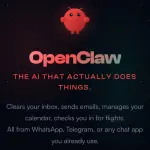
OpenClaw is a viral open‑source personal AI agent that runs on your own machine and connects to your chat apps so it can actually operate your computer and online accounts for you.
What OpenClaw is
- A self‑hosted agent runtime and message router (long‑running Node.js service) that you install on Mac, Windows, or Linux.
- It is designed as a “24/7 Jarvis‑style” assistant that can proactively reach out, remember context, and execute real‑world tasks rather than just chat.
Key capabilities
- Runs locally with your own API keys, supports Anthropic, OpenAI, and local models; your data stays on your machine by default.
- Connects to WhatsApp, Telegram, Disc0rd, Slack, Signal, iMessage and others so you control it entirely via chat (DMs or group chats).
- Has persistent memory of your preferences, history, and projects, so it gets more tailored over time.
- Can control a browser (open pages, fill forms, extract data) and interact with websites for you.
- Can read and write local files, run shell commands, and execute scripts, either fully or inside a sandbox you configure.
Typical use cases
- Inbox management, drafting and sending emails, calendar scheduling, daily briefings, and reminders.
- “AI employee” tasks such as editing documents, pushing code, checking social feeds, and automating repetitive workflows.
- More advanced automations like cron‑style background jobs, syncing local and cloud storage, or orchestrating multiple tools and smart devices.
Why it’s getting so much attention
- Completely open‑source with an active community building and sharing new “skills” on top of it.
- Grew to tens of thousands of GitHub stars very quickly and is often cited as one of the fastest‑growing open‑source AI projects.
- Often described as “self‑improving” because it can generate or modify its own code to add capabilities and automations.
Things to be aware of
- Because it can run shell commands and access files, misconfiguration or bad prompts can create real security and privacy risks on the host machine.
- Best practice is to start in a restricted sandbox, limit credentials and file access, and gradually open more permissions as you gain confidence in its behavior.
Ready to try OpenClaw?
You do not have permission to view the full content of this post.
Log in or register now.
Your feedback is highly appreciated

Support my other posts

- Google just KILLED Photoshop!
- 50 Brilliant Ways to Supercharge Creativity with Nano Banana
- Nano Banana Prompt Gallery
- AI Fashion Studio: AI Virtual Try-On Powered By Nano Banana
- Free Image Upscaler up to 16K Quality!
- Travel the World with Nano Banana
- Nano Banana Polaroid Trend
- AI Profile Picture Generator
- AI Snapshot Generator
- ᑕᕼᗩTGᑭT Prompt Packs
- Perplexity at Work
- Free AI Image Editor
- DumPDF: PDF Editor
- LuxPDF: Open Source PDF Tools
- Affinity Studio: Free, Powerful Design Tool
- Gemini Edu ID Card Generator
- CanVâ Education Invite Link 2
- Create UNCENS0RED/NSFW AI Characters
- Google Antigravity: Agentic Development Platform
- ᑕᕼᗩTGᑭT For Teachers
- Student ID Card Prompt
- Introducing Nano Banana Pro
- Nano Banana Pro Image And Prompt Gallery
- Create 4K Nano Banana Pro Images
- Introducing GPT-5.2
- Create Pro-Grade Infographics
- IHatePDF: Toolkit For Everyday Documents