 PH
PH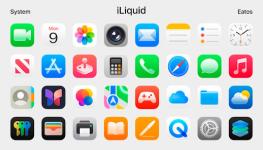
 App Description: iLiquid - Icon Pack v1.2.3 [Patched]
Requirements:
Android 5.0 and up
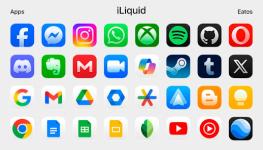
Overview: iLiquid offers a massive collection of over 4,600 high-quality icons and a library of more than 350 curated wallpapers to customize your device.
Instructions: To apply this icon pack, you must use a compatible third-party launcher. Recommended options include Hyperion Launcher, Nova Launcher, and Evie Launcher.
For users on Samsung devices using the stock OneUI launcher, you can apply these icons by installing the Theme Park module from Good Lock.
Tutorial:
Install a compatible launcher
Open the iLiquid app
Navigate to the Apply section
Select your active launcher from the list
For OneUI: Open Theme Park, create a new icon theme, and select iLiquid as the icon pack.
 What's New: - New icons
  MOD Features:
 - iLiquid - Icon Pack v1.2.3 [Patched]
- Premium
 Download Link:
Download
Download Link:
Download