 PH
PH
 App Description: Screen Recorder - XRecorder v2.4.9 [Pro]
XRecorder is a high-performance Android application designed to capture smooth, clear screen footage and screenshots with professional efficiency.
Whether recording fast-paced gameplay, creating detailed video tutorials, or saving non-downloadable content, this tool provides a seamless experience without technical barriers.
Key Features
High-definition screen recording with internal and external audio support
Integrated video editing suite for immediate post-production
No watermarks on saved videos for a clean, professional look
No root access required for full functionality
Unlimited recording duration to capture long sessions or live streams
Floating control ball for quick one-tap access to recording and screenshots
Smooth performance optimized for Android 8.0 and higher
Technical Details
Version: 2.4.9 (b2490000)
Requirements: Android 8.0+
Status: Pro Features Enabled
Download this utility to ensure you never miss a live event or a critical gaming moment. It is the ideal solution for creators who demand high-quality visual output without the intrusion of branding or time constraints.
 MOD Features:
 - Capture screen to take a clear Screenshot
- Record Gameplay on your phone
- Internal audio recording without noise (ONLY Android 10 or above)
- YouTube & RTMP Live stream: be a gaming streamer to gain fun and popularity
- Facecam: E×ρréšš reactions freely with multiple camera switch
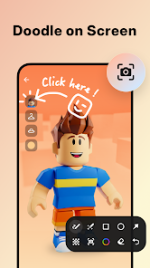
- Brush Tools: draw on the screen to make your screen capture extra special
- Video Editor: trim, remove the middle part, add music and speed control
- Maximum 120 FPS recording support to enjoy the ultimate visual experience
- Export Full HD video with custom settings: 240p to 1080p, 60FPS, 12Mbps
- Customize floating ball style & opacity: a tailor-made one only for you
- One-tap Trash control: Enable or Disable it as you like
- No watermark: record a clean video & screenshot
- No recording time limits & No root needed
- Floating window: One touch to snap the exact moment or hide it when it’s not needed
- Custom Floating Window: show recording time or minimize it & replace button function
- Countdown timer: to be a fully prepared recorder
- Trash Bin: immediately recover deleted photos, videos, etc. within 3 days
- Alternative storage location: internal storage/ SD card
- Easy to pause/resume recording, rotate screen
- Video Recorder with multiple editing tools
- Video trimmer: Trim, Cut and Split video to make it a better artwork
- Crop & Rotate video left, right or any other angle
- VIdeo for all platforms: adjust Ratio and Background fit for any occasion
- Music video maker: add popular music in your video
- Funny Sticker and Text to personalize your screen capture
- Stylish Filters: Story, Vintage, Lomo, etc. always a right for you
- Speed up/Slow down to adjust video pace
- Save as draft to make continuous editing possible
 Download Link:
Download
Download Link:
Download