PH
PHWhat You'll Need:
1. A new Google account (set to United States country)
2. VyprVPN (or any VPN with US server)
3. Virtual card or PayPal (MariBank virtual card used in example)
4. Recovery email for the new Google account
Step-by-Step Instructions:
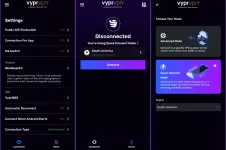
1. Set Up VPN
- Connect to VyprVPN
- Set Protocol: Wireguard
- Connection Type: Quick Connect
- Region: South America (or use any VPN with US server)
2. Create New Google Account
- Make a new Google account with United States as the country
- Add a recovery email
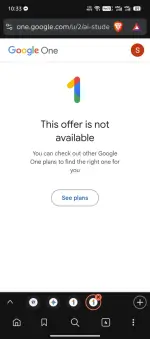
3. Go to Gemini Student Offer Page
- Visit: You do not have permission to view the full content of this post. Log in or register now.
- Click "Get offer"
- Sign in with your new Google account
- You will see "$0/mo for 12 months"
4. Copy the Verification Link
- Do not open the "Verify Eligibility" link
- On Android: Long press the link and select "Copy link" or "Copy URL"
- On PC: Right-click and select "Copy link address"
- The link should look like: You do not have permission to view the full content of this post. Log in or register now....
5. Verify Using Batch Verification Site
- Go to: You do not have permission to view the full content of this post. Log in or register now.
- Paste the SheerID link in the "Input" box
- Complete the captcha and Cloudflare verification
- Click "Start Verification"
- Wait 1–5 minutes for "Verification completed successfully!"
6. Claim the Offer
- Go back to the Gemini student offer page
- Refresh the page
- The "Verify Eligibility" button will change to "Get student offer" – click it
7. Add Payment Method
- Use a virtual card (e.g., MariBank) or PayPal
- Load at least ₱100 (you can try even with zero balance)
- Click "Subscribe"
8. Cancel Subscription (Optional)
- Open "Play Store"
- Go to "Payments & Subscriptions > Subscriptions"
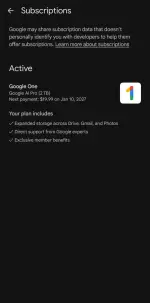
- Find "Google One" and click "Manage subscription"
- Click "Cancel subscription"
Important Notes:
- Make sure your Google account country is set to United States
- You can use any VPN, but VyprVPN with South America server was tested
- The verification link must be copied without opening it
- Cancel the subscription immediately to avoid future charges
Quick Summary:
1. US Google account + VPN (South America/US)
2. Visit gemini.google.com/students/ and sign in
3. Copy SheerID link without opening
4. Verify at batch.1key.me
5. Refresh page and claim offer
6. Add virtual card/PayPal and subscribe
7. Cancel subscription via Play Store
 Video Tutorial Available
Comment lang sa baba i-sesend ko sayo.

 You do not have permission to view the full content of this post.

 salamat sa pagshare paps