 PH
PH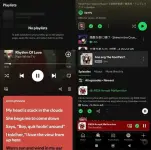
Spotify Premium v9.1.6.1139
[January 09, 2026 Update]
NOTE:
* Please disable auto update from playstore
• Downloading music is now working
(A new Gmail account is required)
• If you have empty playlist or songs skipping:
— Just log out
— Clear cache & data
— Log in again (continue with email)
• Kung meron na kayong account sa Spotify (SKIP NIYO NA YUNG TUTORIAL SA BABA)
— Sign up free → Continue with email → log in niyo yung account niyo
TUTORIAL:
1. Create new Gmail acc.
Sa mismong Gmail app kayo gumawa ng new acc. (ok lang kahit dummy)
2. Open Spotify app
3. Tap Sign up free → Continue with email
4. Ilagay niyo yung ginawa niyong Gmail acc.
5. Create password (bahala na kayo)
6. Set niyo yung birthday niyo tapos tap next
7. Choose niyo yung
 I agree to the Spotify Terms of Use and Privacy Policy. I would prefer not to received marketing messages from Spotify.
8. Tap Create account & done! Enjoy listening
DOWNLOAD LINK:
You do not have permission to view the full content of this post. Log in or register now.
DOWNLOAD TUTORIAL:
You do not have permission to view the full content of this post. Log in or register now.
DISCLAIMER:
I am not the owner or creator of this modified app. I am just sharing it with you.