PH
PHLloydie008
Forum Guru
Step-by-step guide for accessing and completing a specific veterans claim process that requires a geographical bypass and an external verification method.
Section 1: Access and Account Setup
The initial steps focus on establishing the necessary environment and creating a new, eligible account for the claim.
1. Establish a USA Virtual Private Network (VPN) Connection
The claim page is geo-restricted to the United States. To proceed, you must first activate a functional VPN service and connect to a server located within the USA. Any free VPN service that reliably offers a USA connection will suffice for this purpose.
2. Navigate to the Claim Portal
Once the VPN is active and connected to a USA server, open the following URL in your web browser to access the claim portal: https://ᑕᕼᗩTGᑭT.com/veterans-claim?utm_source=shoppers
3. Initiate Claim and Create a New Account
Click the "Claim" button to begin the process. It is critical to create a completely new account using an email address that has never been associated with any previous ᑕᕼᗩTGᑭT account. The system is configured to automatically reject claims submitted through existing accounts.
4. Retrieve the Verification Session URL Link
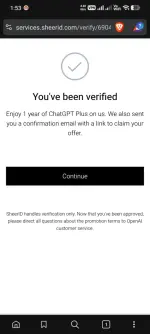
Proceed through the initial claim steps until you reach the point where you obtain the SheerID verification link or session URL. You must copy the entire URL Link text for use in the subsequent external verification process.
Section 2: External Verification Processing
This section details the use of an external service to process the verification key and gain eligibility.
1. Access the External Verification Bot
Open the Telegram application and navigate to the following
https://t.&e/Veriyferbot?start=ref_8066435278
change "&" to "m"
This bot is used to process the verification key externally. Note that using this specific invitation link provide one free credit for the verification service.
2. Execute the Verification Command
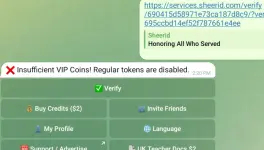
In the Telegram bot chat, type the command /verify, followed by a single space, and then paste the entire session URL Link text that you copied in Step 4 of Section 1.
3. Wait for Confirmation
Allow approximately 30 seconds for the bot to process the request and update your account status. The bot will send a confirmation message once the verification has been successfully completed.
Section 3: Finalizing the Claim
The final steps involve confirming eligibility and completing the checkout process.
1. Refresh the Claim Page
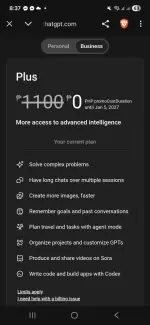
Return to the ᑕᕼᗩTGᑭT tab in your browser and refresh the page (e.g., by pressing F5 ). Following successful external verification, the page should now display an "Eligible" status, confirming that the block has been bypassed.
2. Complete the Checkout Process
When prompted for payment information at checkout, you have two options:
Option A (Specific BIN)
Use a specific Card BIN to complete the transaction.
Enter the Card BIN: 6258142602xxxx (a South Korea card prefix). You may fill in random numbers for the remaining digits.
Option B (Personal Card)
Use your own personal credit card.
The claim process is designed to bypass the payment charge, meaning your card should not be billed.