 PH
PHCarlos2026
Contributor
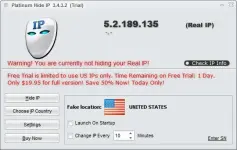
Use Platinum Hide IP, to keep your real IP address hidden, surf anonymously, secure all the protocols on your PC, provide full encryption of your activity while working in Internet, and much more. With Platinum Hide IP, you can surf anonymously, send anonymous messages through any web-mail system, access blocked websites or forums, get protected from any website that wants to monitor your interests and data on a computer to run a spy through your unique IP address, etc.
What's more, Platinum Hide IP allows you to choose your fake IP address, for example, in the United States, Britain, France, etc. from the Choose IP Country window. The program works with Internet Explorer, Firefox, Opera, Maxthon, MyIE and is compatible with all types of routers, firewalls, home networks, wireless networks, etc.
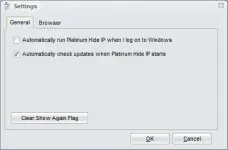
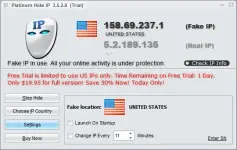

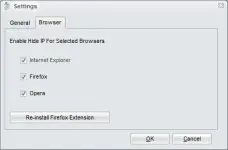

Key Features
- Anonymize Your Web Surfing
Your real IP is hidden when you surf on the Internet, keeping your online activity from being tracked by others. - Protect Your Identity
Anonymous web surfing enables you to prevent identity thieves from s†éáling your identity or other personal information, and keep your computer safe from häçker attacks or other risks. - Choose IP Country and Check IP
Proxy lists of many countries are enabled and you decide to select one country from the Choose IP Country window. You can check the current IP address directly. - Send Anonymous Emails
Send anonymous emails through any web based mail system such as *****, Hotmail, etc. - Get Unbanned from Forums and Blocked Websites
Change your IP address and then you can get yourself unbanned from any forums or other blocked websites that have ever banned you.
- Download and extract the “Platinum Hide IP 3.5.9.6 Final Full ρá†ch” file.
- Also extract the ρá†ch file located in that folder.
- Install the program as usual.
- After the installation process is complete, do not enter the program yet.
- Open the ρá†ch folder and copy paste the ρá†ch file into the “Platinum Hide IP” program installation folder on your PC or laptop.
- Run the ρá†ch file by right-clicking, then selecting run as administrator.
- Click ρá†ch
- Done