 PH
PH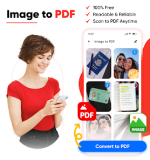
 App Description:
  Image to PDF Converter v4.4 [Pro]
Transform your gallery into professional documents instantly! Whether you're digitizing receipts, notes, or photos, our high-performance tool handles it all with sleek efficiency.
 Instant Conversion: Turn any image into a high-quality PDF with just one tap.
 Pro Features Unlocked: Seamlessly merge multiple images or compress files to save space without losing clarity.
 Premium Viewing: Experience smooth vertical or horizontal scrolling with a dedicated "Go to Page" feature for long documents.
 Eye Comfort: Read comfortably in any lighting with a beautifully optimized Dark Mode.
 Smart Organization: Keep your digital life clutter-free using the powerful built-in PDF manager.
 Intuitive Interface: Designed for speed and simplicity—no steep learning curve required. Wide Compatibility: Fully optimized for Android 6.0 and above.
Experience the ultimate all-in-one PDF toolkit today!
Would you like me to generate a set of catchy app store keywords or a "What's New" changelog for this version?
 What's New: Easily convert images to PDF
 MOD Features:
 - • Simple and user-friendly interface.
- • Quick and convenient PDF maker.
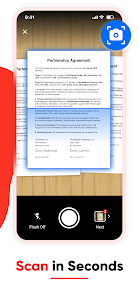
- • Capture photos or Import them from the gallery.
- • Combine multiple images into a single PDF file.
- • Compress and organize your PDF files.
- • Vertical or horizontal viewing mode.
- • Jump to a specific page with a PDF viewer.
- • Zoom in or out to your specific needs.
- • View PDFs in dark mode to reduce eye strain.
- • Share your PDFs with anyone you want.
- • Print hard copies with PDF file manager.
- • Offline Image to PDF app, no internet required.
- Convert JPG, JPEG, or PNG files using the Image to PDF Converter app. Whether it's photos from your gallery or newly captured snaps, the PDF file maker converts them into a convenient and shareable PDF format.
- Want to convert multiple images into a single PDF? Picture to PDF converter allows you to combine various pictures into a single PDF, making it convenient to organize them at once.
- Convert your images to PDF without the need for an internet connection. The Image to PDF Converter allows an offline PDF conversion, ensuring convenience at your fingertips.
- Manage your PDFs with the Photo to PDF maker and access converted PDFs with ease. PDF Creator app provides a user-friendly interface, making it easy to find, open, and handle your PDFs.
- You can share or print PDFs using the Image to PDF converter. Share files with others via messaging apps or email, and if needed, print hard copies for your records or meetings.
 Download Link:
Download
Download Link:
Download