 PH
PH1. Download Cloudstream on your phone or transfer it to your android tv box to watch it on TV
Link: You do not have permission to view the full content of this post. Log in or register now.
2. Install it.
3. Open it and go to settings icon and click extensions
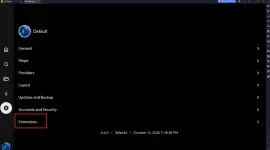
4. Click Add Repository
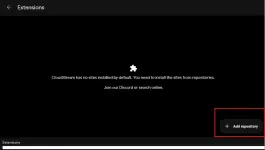
5. Put in Repository Name: whatever you want
Put in Repository URL or Code :
url : You do not have permission to view the full content of this post. Log in or register now.
code: phisherrepo
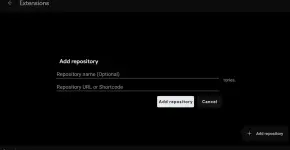
6. Click Add repository and search for moviebox and install
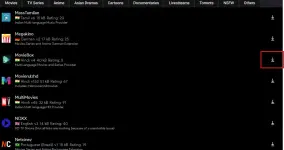
7. Close cloudstream and reopen again
8. Click the upper right side and select moviebox
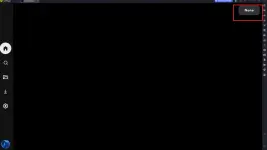
9. If you want to search for movie just click the search icon
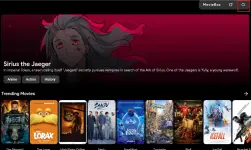
10. You can now have a clean way to watch from moviebox
Tested ko na sa tv at sa phone ko.
Link: You do not have permission to view the full content of this post. Log in or register now.
2. Install it.
3. Open it and go to settings icon and click extensions
4. Click Add Repository
5. Put in Repository Name: whatever you want
Put in Repository URL or Code :
url : You do not have permission to view the full content of this post. Log in or register now.
code: phisherrepo
6. Click Add repository and search for moviebox and install
7. Close cloudstream and reopen again
8. Click the upper right side and select moviebox
9. If you want to search for movie just click the search icon
10. You can now have a clean way to watch from moviebox
Tested ko na sa tv at sa phone ko.