 PH
PHPHC - AoxZgen
Forum Veteran
Disclaimer: I'm not a geek 
Better PC?
For Windows users only, linux users alis

Chris Titus Tool
-Debloat
-Optimize
-Blocked Tracking
Detailed Info: You do not have permission to view the full content of this post. Log in or register now.
Quick Guide (1-5)
[No need to install any app]
[Wag ka nang mag click ng kahit na ano kung di mo kabisado]
1> Run Terminal or Powershell (Admin)
2> Run/type this command: irm "You do not have permission to view the full content of this post. Log in or register now." | iex
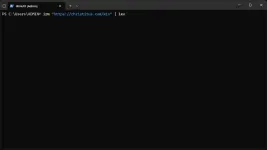
3> Antay mga few seconds hanggang sa mag load yung app.. then click 'Tweaks' tab
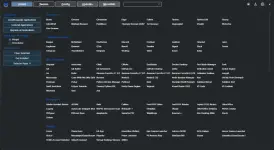
4> Then click 'Standard' option
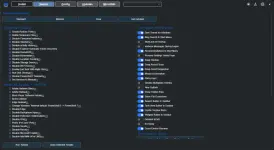
5> Last click 'Run Tweaks' button sa baba
Wait mo lang hanggang sa matapos then restart pc
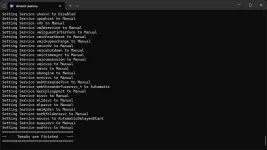
P.S. if curious ka kung ano nagagawa ng bawat tweaks, may question mark '?' button diyan sa dulo nila click mo lang
Better Browser?
Firefox? No, it's Betterfox
Betterfox Browser
-Better Privacy
-Better Security
-Better Performance
Detailed Info: You do not have permission to view the full content of this post. Log in or register now.
Sa dami ng na try ko na browsers, ito palang yung satisfying
[Note: Firefox browser parin po siya pero naka custom settings lang]
Quick Guide (1-9)
[Most important na gagagwin mo is import yung 'user.js' file sa firefox browser]
1> Download and Install Firefox: You do not have permission to view the full content of this post. Log in or register now.
2> Go to this link: You do not have permission to view the full content of this post. Log in or register now.
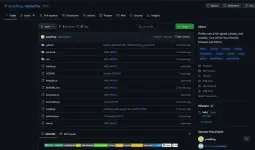
3> Click mo yung user.js ..makikita mo lahat ng user settings [default yan pero goods for starter]
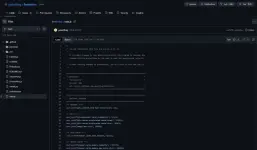
4> Para sa mga walang oras magbasa o di gaano nakakaintindi sa code.. copy mo lahat ng nakalagay diyan
5> Open notepad app.. then paste mo diyan yung code
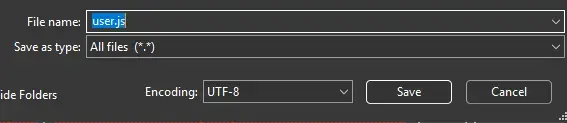
6> Save as mo yung file bilang 'user.js' naka js format yan.. dapat yung type naka 'All (.)'
7> Easy method para i-insert sa firefox browser
-Open firefox browser
-type mo sa address bar: about
 rofiles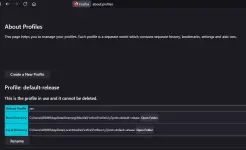
-pinaka unang section diyan 'Profile: default-release'.. sa Root Directory click mo yung 'Open folder' button sa dulo [root directory dapat, HINDI yung local directory]
-lalabas yung file explorer kung saan yung folder location.. diyan mo ilalagay yung 'user.js' file
[Note: Fresh install wala talagang 'user.js' file yan, baka magtaka yung iba]
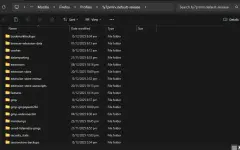
8> Copy mo yung 'user.js' file kanina, then paste mo diyan sa folder location
9> Once na paste mo na, click mo yung restart normally.. or close yung firefox browser then open ulit
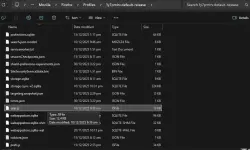
All done
ADDITIONAL [FOR OVERRIDE OR ADDITIONAL CUSTOM SETTINGS]
For more overrides: You do not have permission to view the full content of this post. Log in or register now.
[Copy-paste lang lahat ng gusto mo, basahin niyo nalang mabuti]
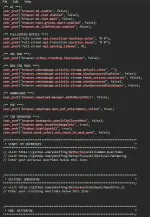
1> Sa pinaka baba ng code may makikita kang 'START: MY OVERRIDES' section
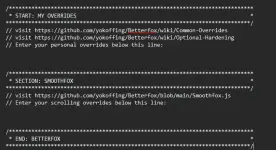
2> Sa baba mismo ng 3rd line '//Enter your personal overrides below this line:'.. next line diyan mo ilalagay lahat ng gusto mong idagdag na settings
3> Ito yung sample additional settings:
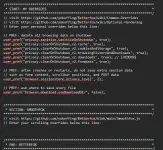
4> Then save it
[Kung gusto niyong i-update yung 'user.js' file, punta lang kayo ulit sa Step 7 para ma locate yung folder location]
[Paste niyo lang updated 'user.js' file or edit yung existing 'user.js']
Restart firefox browser everytime mag update kayo ng 'user.js' file
Better Extensions Combo?
AdGuard Blocker: You do not have permission to view the full content of this post. Log in or register now.
uBlock Origin: You do not have permission to view the full content of this post. Log in or register now.
Bitwarden: You do not have permission to view the full content of this post. Log in or register now.
Brief Info
Napansin ko kasi may ibang ads na di naboblock ni uBlock [Most Popular Adblocker]

AdGuard trusted talaga sa adblocker yan, may ibang site na mas madaming nabblock si AdGuard kaysa uBlock [not bad]
Bitwarden password manager, no need to memorize lahat ng passwords lalo na yung mga complex combinations [minimize typing user credentials, if ever may keyl0gger sa pc or any device]
All good
Good luck
Sana nakatulong

