 PH
PH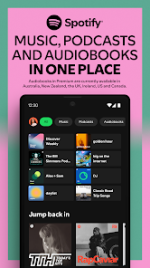
 App Description:
  SPOTIFY: The Ultimate Audio Experience
Version: v9.1.2.1253 [Mod]
Requirements: Android 8.1+
---
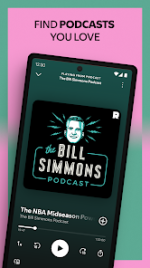
 ️ Instant Access to Everything: Dive into a universe of millions of songs, albums, and exclusive podcasts. Your personal soundtrack is ready—available instantly and absolutely free on your mobile and tablet devices.
 Hyper-Personalized Discovery: Stop searching and start listening. Leverage powerful AI to generate custom, personalized recommendations or explore thousands of expertly curated playlists tailored precisely to your mood, activity, or genre preference.
 Total Device Freedom: Seamlessly switch between your phone, tablet, and desktop. Play any track, album, or playlist on demand, anytime, anywhere—no limitations.
 Ad-Free Immersion: Say goodbye to interruptions. Unlock a pure, uninterrupted listening experience designed for maximum focus and enjoyment.
 Offline Powerhouse: Download your entire library, favorite playlists, and essential podcasts directly to your device. Enjoy crystal-clear audio even when you're off the grid, traveling, or saving data.
 Studio-Quality Sound: Elevate your listening with superior audio fidelity. Hear the details and depth the artists intended with enhanced sound quality settings.
 Risk-Free Commitment: Experience the full power of premium features without any long-term contracts. Enjoy maximum flexibility—cancel or adjust your service anytime.
  What's New: We’re always making changes and improvements to Spotify. To make sure you don’t miss a thing, just keep your Updates turned on.
 MOD Features:
 - • Unlocked Next Track
- • Unlocked Previous Track
- • Unlocked Seeking FWD/BWD
- • Unlocked / Able to Select Any Songs & Albums
- • Unlocked Repeat All
- • Unlocked Shuffle
- • Disabled Force Shuffle
- • Disabled Audio Ads
- • Disabled Video Ads
- • Disabled Visual Ads
- • Disabled Third-Party Ads
- • Song lyrics
- 1) Install MochiCloner, ReVanced_Xposed, Spotify v9.1.2.1253, Spotify v9.1.2.1253 Clone but don't open it ;
- 2) Launch MochiCloner, press on the button above "plus" button and enable the ReVanced_Xposed (by NibRut test) module;
- 3) Launch Spotify Clone; if the clone version crashes, launch MochiCloner go to Settings ➤ "Switch Xposed Framework" and set it to LSP;
- 4) Log in to your Spotify account.
- 1) Install Spotify v9.1.2.1253, MochiCloner and ReVanced_Xposed;
- 2) Launch MochiCloner, press on "plus" button, find for Spotify app and create a clone by pressing on "Start production";
- 3) Install Clone;
- 4) Press on the button above "plus" button and enable the ReVanced_Xposed (by NibRut test) module;
- 5) Launch Clone;
- 6) Log in to your Spotify account.
- ➡ Full Multi Languages
- ➡ arm64-v8a, armeabi-v7a, x86, x86_64
Download Link:
Download
